Last Updated on January 7, 2026 by
You open Instagram “just to scroll,” and twenty minutes later you’re staring at yet another viral Reel thinking: How did they make this so fast… and why do my videos still look like school projects?
That’s exactly where AI comes in. The good news: there are now powerful AI tools for creating Instagram Reels that really can cut your editing time from hours to minutes. The bad news: if you just grab the first “free AI reels generator” you see, you’ll likely end up with robotic edits, ugly watermarks, or yet another subscription you barely use.
This guide walks you through how to choose the best AI app for making Reels, which tools are actually worth trying in 2026, and how creators are using AI for reel making without losing their own style. I’ll also show you where GStory’s tools fit into a smart, realistic workflow—not as “magic one-click solutions,” but as helpers around your Reels pipeline.
What AI Can Do For Your Instagram Reels Right Now
Let’s set expectations before we throw tools at the problem. A modern AI reels editor is very good at repetitive, boring tasks and very bad at knowing your personality.
Today’s AI tools are genuinely strong at things like:
- Detecting highlight moments in long videos and auto-clipping them into short, vertical Reels. Tools like OpusClip and similar “clip maker” apps were built for this use case.
- Auto-generating captions and stylized subtitles that follow your speech, which is crucial because most people watch Reels on mute.
- Cleaning the footage: reducing noise, sharpening details, and upscaling your Reels to 1080p or even 4K so they don’t look muddy on modern phones.
Where AI still struggles is the “human” side of editing: deciding how your joke should land, where to leave a beat of silence, or how to match your edit to a trending meme. That’s why the answer to “can AI edit a Reel for me?” is: yes, but you still need to make the final calls if you want it to perform like content from real creators, not templates.
How to Choose an AI Reels Editor That Actually Fits You
People often search “best ai to make Instagram Reels” as if there’s one perfect app. In reality, the right reels editor depends on your situation more than on any single feature list.
Before you install yet another app, ask yourself four quick questions:
- What are you editing most?
If you mainly shoot talking-head clips on your phone, you’ll want a mobile-first AI app for making Reels with strong captions and templates. If you repurpose YouTube videos or podcasts, you need an AI clipper that handles long, horizontal footage well. - Where do you prefer to work, phone or desktop?
Instagram’s own Edits app lives on mobile and lets you capture, edit, and export 4K video with no watermark, then share to any platform. Desktop tools like Descript, on the other hand, shine when you treat your video like a written script. - How allergic are you to watermarks and export limits?
Many “free” tools add a logo or restrict resolution. On OpusClip’s free plan, for example, your clips include a watermark unless you upgrade. Descript’s free drive also exports with a watermark until you move to a paid plan. - How much time do you really want to spend learning the tool?
Some AI tools for creating Instagram Reels are powerful but feel like full editing suites. If you’re a solo creator or small business owner, a “good enough and simple” AI reels editor will often beat a complex one you never touch.
Keep those answers in mind as we look at the tools, because there is no universal “best.” There’s only the best fit for your workflow.
Best AI Tools to Create Instagram Reels in 2026
Here are the tools I’d look at first if you’re serious about AI for reel making this year. We’ll focus on real use cases, not just feature buzzwords.
Instagram Edits App – Best Default For Most Creators
Edits is Instagram’s own video creation app. You can capture longer clips, edit them on a proper timeline, and export in 4K with no watermark, then share to any platform you want.
If you mainly need a clean, reliable editor that “just works” with Reels, Edits is a fantastic starting point and easily a contender for the best video editing app for Instagram Reels without watermark for everyday creators.
CapCut – Free AI Reels Editor With Templates
CapCut is still the go-to AI reels editor for many influencers because it packs in:
- Easy timeline editing on mobile and desktop
- Tons of trending templates and effects
- AI-powered features like auto captions and background removal
CapCut Web now supports watermark-free export for standard edits, which is huge if you’re trying to stay on a free tier.
If you’re looking for the best reel editing app free and you don’t mind learning a few controls, CapCut is usually where I’d start.
VN Video Editor – Free Reels Editor With No Watermark
VN Video Editor shows up again and again in “no watermark” lists. Independent tests and reviews highlight that it’s 100% free with no watermark, supports 4K exports, and offers a full multi-track timeline.
Users do note that VN is mobile-first and lacks some of the fancy AI bells and whistles, but if your priority is “best video editing app for Instagram Reels without watermark on mobile,” VN is hard to beat.
OpusClip – AI For Reel Making From Long Videos
If your main question is “Which AI tools to create Instagram Reels from my YouTube or podcast?” OpusClip is built for that. You drop in a long video, and the AI finds punchy moments, reframes for vertical, and adds captions.
The catch: its free plan includes a watermark on clips; you need a paid plan to remove it. That means it’s great for testing workflows, but if you go all-in, budget for a subscription.
Descript – Script First Editing For Podcasters And Educators
Descript is more than a Reels editor; it’s a full audio–video editing environment where you edit by text transcript. It uses AI for:
- Transcribing your video
- Removing filler words and silences
- Creating clips from longer content
Descript’s free and basic accounts export with a watermark; paid plans unlock watermark-free exports and up to 4K resolution.
If your Reels come from webinars, online courses or podcasts, Descript plus a mobile app like CapCut or Edits makes a very strong combination.
GStory AI – Smart Helpers Around Your Reels Workflow
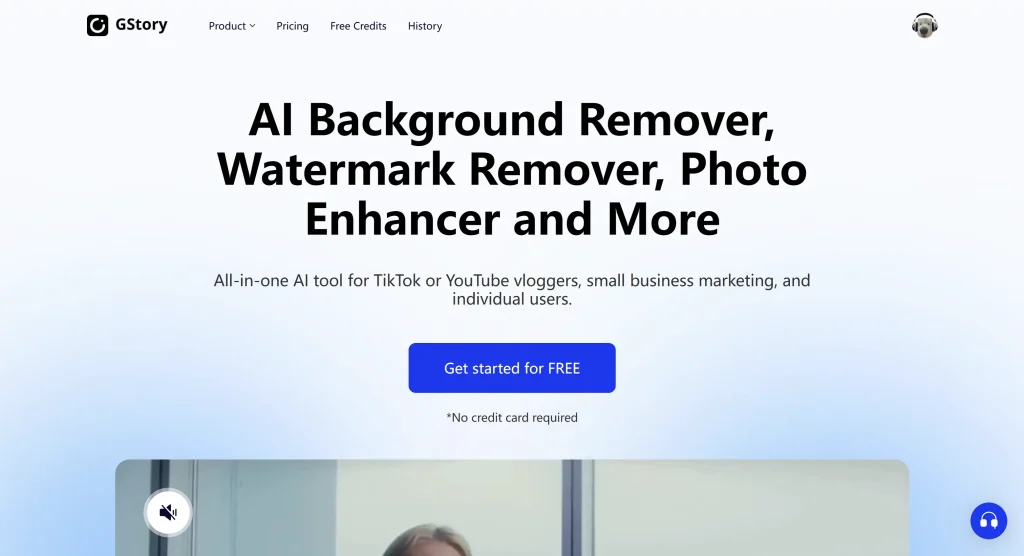
GStory is not a single “Reels editor,” but rather a hub of AI tools that solve specific pain points around your content: watermark removal, subtitles, clipping long videos, and upscaling quality.
Three tools are especially useful for Instagram Reels:
- GStory Subtitle Generator – automatically creates captions for your Reels so people can follow your story on mute.
- GStory AI Clip Maker – turns long YouTube videos into short highlight clips that are perfect starting points for Reels.
- GStory Video Enhancer – upscales and cleans your footage so even older or low-light clips look sharp in vertical format.
Think of GStory as the “AI backbone” behind your Reels: you can keep editing in Edits, CapCut or VN, but use GStory’s tools to upgrade quality, pull clips, and add subtitles quickly.
Real AI Workflows For Reel Making
Let’s move from theory to reality. Here are three simple workflows that creators are using right now.
Fast Talking Head Reel
- Record a vertical talking-head clip on your phone.
- Open it in Edits or CapCut to trim mistakes and add simple transitions.
- Run the final video through GStory Subtitle Generator to add clean captions without manual typing.
This is a great everyday pattern if you post often and want AI to handle the busywork while you still control the story.
Repurpose a YouTube Video Into Several Reels
- Paste a YouTube link into GStory AI Clip Maker or OpusClip and let the AI find highlight moments.
- Export the suggested clips, discard the ones that don’t fit your brand, and keep the top three to five.
- Fine-tune those clips in CapCut or VN: tweak timing, swap text styles, and add music that matches Reels trends.
Here, OpusClip and GStory’s clip maker are doing most of the heavy lifting, and you act as the “editor-in-chief” choosing what actually goes live.
Polish Quality Without Re-Shooting
- Take a Reel draft that looks a bit soft or noisy.
- Run it through GStory Video Enhancer to upscale and clean the footage.
- Bring the enhanced version back into Edits or your favourite reels editor for final text and audio tweaks.
This is especially useful if you film in less-than-ideal light but want your Reels to look as sharp as the big accounts.
Pro Tips To Make AI Reels Look Human
The biggest complaint you see on Reddit and in creator communities is that AI videos “all look the same.” That’s usually because people stop where the tool stops. A few simple habits fix that.
- Use the 80/20 rule. Let AI handle about 80% of the work—clipping, subtitling, basic cuts—but always spend the final 20% manually adjusting pacing, text wording, and scene order so it feels like you.
- Break templates on purpose. If a CapCut template shows three text blocks, delete one, change the colors, or move elements so it doesn’t scream “default template.”
- Keep some imperfections. A tiny pause before a punchline or a quick, unscripted laugh often performs better than perfectly sliced robotic delivery. Don’t let AI edit all the personality out.
- Know when to skip AI. Sensitive or highly personal stories often land better with minimal automation. In those cases, treat AI as a spell-checker for your captions or a gentle enhancer for video quality—not the main editor.
FAQ About AI Tools For Creating Instagram Reels
Is there an AI that can make Instagram Reels automatically?
Yes. Tools like OpusClip and various “AI clip maker” apps can auto-generate short vertical videos from long content, complete with captions and reframing. You still need to review their output before posting.
Does Instagram have built-in AI video editing?
Instagram’s Edits app is not branded as “AI,” but it gives you a powerful, creator-friendly editor with 4K export and no watermark, built directly by Instagram. It’s a strong starting point even before you add external AI tools.
What do influencers use to edit Reels?
Most successful creators mix tools: a mobile app like Edits, CapCut or VN as their main reels editor, plus specialized AI tools for clipping, subtitles, and upscaling. Many also use platforms like GStory for subtitles, watermark removal, or repurposing long-form videos into shorts.
What is the best AI app for making Reels if I’m a beginner?
If you want one simple pick, start with CapCut or Instagram Edits, then add GStory’s subtitle generator on top. That combo usually covers everything a beginner needs without feeling overwhelming.
Conclusion – Create Smarter Reels With AI, Not Colder Ones
There isn’t one “perfect” best AI video editor for Instagram Reels or one magical best AI app for making Reels. But there is a smart way to combine tools:
- Use a friendly editor like Edits, CapCut or VN as your base.
- Add specialized AI tools like GStory AI Clip Maker, Subtitle Generator, and Video Enhancer to do the boring, technical work.
- Keep the final creative decisions in your hands so your Reels still sound and feel like you.
Pick one workflow from this guide, test it on your next Reel, and adjust from there. In 2026, the creators who win on Reels won’t be the ones who use the most AI—they’ll be the ones who use AI well, and then put their own voice back on top.
Leave a Reply