Last Updated on January 9, 2026 by
If you searched “stranger things ai photo edit” hoping for one magic filter, here’s the honest answer: the viral look is mostly prompt control—plus a repeatable workflow that keeps faces, hands, and composition stable while adding the Upside Down signatures (crimson glow, mycelium vines, spores, fog, and light-bleeding cracks).
In this post, you’ll get copy-paste Stranger Things AI photo prompt packs for six proven styles, plus the fastest ways to troubleshoot when your AI generator goes off-script.
Photo selection tips for better Stranger Things pictures
- Not every photo edits well. For the most reliable results, use:
- Best: bedrooms, hallways, doorways, office interiors, city streets, landmarks (clear structures help vines and cracks appear realistic)
- Avoid: crowded scenes with many people, busy signage or text, and harsh midday sunlight with no shadow depth
- Selfies: choose a photo where your face is sharp, front-facing, and not partially blocked
- High quality: if the photo is blurry, you can use GStory Photo Enhancer to improve image quality first
If your AI keeps inventing random objects, the photo is usually too busy—simplify it before editing.
The Stranger Things photo filter look: what you must describe
A true Upside Down look isn’t “make it dark.” It’s a checklist:
- Crimson / scarlet atmosphere + high-contrast lighting
- Wet organic vines / mycelium crawling across surfaces
- Spores / ash particles + fog/haze (especially near the ground)
- Cracks / seams with light bleeding through (walls, ceiling, doors)
- Optional realism: damp corrosion, mold, film grain
If the AI doesn’t get these, it won’t feel like Stranger Things—so we’ll spell them out in every prompt.
6 Viral Stranger Things AI Photo Edit Styles Prompt
Stranger Things pictures style: Cinema group selfie + “Stranger Things 5” poster background
What’s realistic: Most viral “cinema selfie” edits are two steps:
- Fuse 3 people into one coherent group selfie (pose/lighting consistent)
- Add the cinema + poster background, then match grain and lighting
Prompt pack A: Fuse 3 reference photos into one cinema selfie
Prompt
Create a realistic group selfie of three people, blending the faces and hairstyles from the three reference photos into one coherent scene. They are seated together in a cinema, close to the camera like a real phone selfie. Match lighting across all three faces (soft, warm cinema lighting), consistent lens perspective, and natural skin texture. Add subtle, believable details: faint dried blood smears (small, not gory), slightly messy hair, and a tense but composed expression. Keep faces recognizable and undistorted. Add mild film grain and a soft vignette for an 80s thriller vibe.
Pro tip (important for realism): Don’t try to “do everything” in one go. If the AI struggles, generate the group selfie first on a neutral background, then do background replacement in step 2.
Prompt pack B: Replace background with cinema + Stranger Things-style poster wall
Prompt
Keep the group selfie unchanged. Replace the background with a realistic cinema interior: rows of seats, dim ambient lighting, and a large movie poster on the wall that looks like a fan-made “Stranger Things Season 5 style” poster (no readable text). Match the original lighting direction on the subjects, add realistic shadow falloff, and keep the background slightly softer than the faces. Add subtle film grain and a cinematic color grade.
Stranger Things AI photo edit style: Office ceiling monster “breaking out”
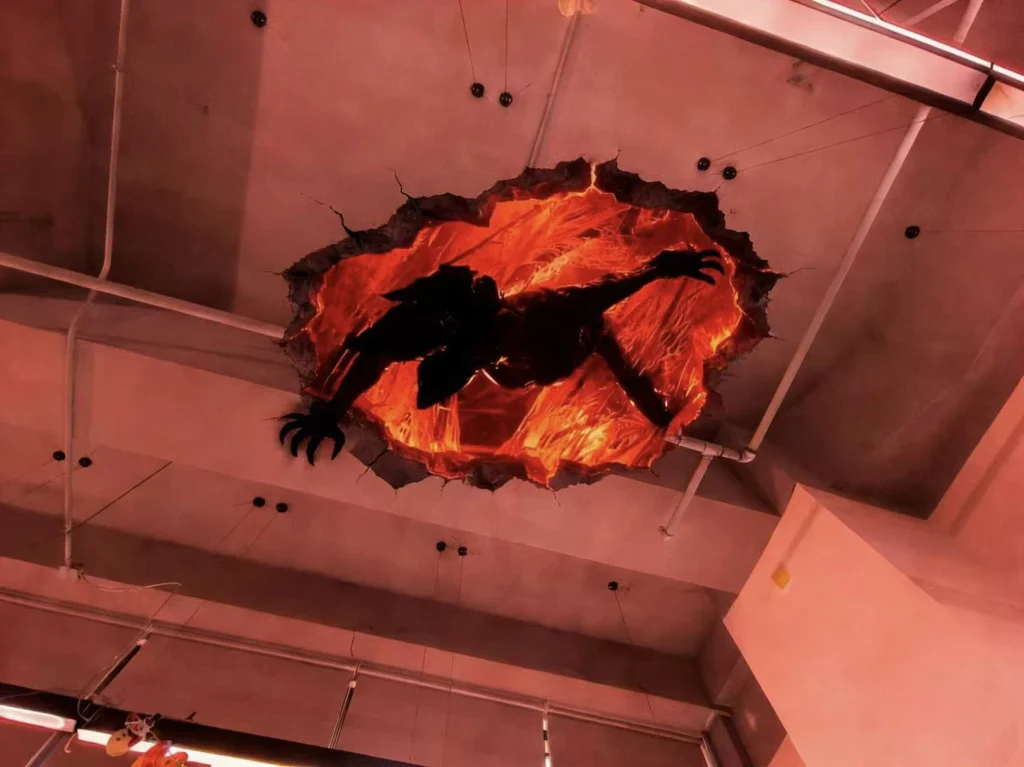
What’s realistic: This works best as AI inpainting: mask the ceiling area and instruct the AI to integrate the monster with matching perspective + fluorescent lighting + debris.
Prompt pack: Ceiling breach composite
Prompt
In the masked ceiling area, integrate a creature breaking through the office ceiling tiles as if it’s tearing out from above. Match the room’s perspective (vanishing lines), camera angle, and overhead fluorescent lighting. Add torn drywall edges, cracked ceiling tiles, dust and debris falling, and strong contact shadows around the hole. The creature should feel physically present: correct scale, believable occlusion, and shadows cast onto the ceiling and walls. Keep the office furniture and the rest of the photo unchanged and sharp. Add mild film grain for cinematic realism.
Quick fix line (if it looks pasted-on):
Add stronger contact shadows at the tear edges, and match the ceiling light color temperature exactly (cool fluorescent).
Stranger Things AI generator style: Floating Upside Down selfie
You already have a good concept prompt, but the realism upgrade is:
- tell the AI what must NOT change (your face/body)
- tell it how levitation should look (hair/clothes lift + shadow below)
- tell it the Upside Down signatures (spores, mycelium, haze, crimson sky)
Prompt pack: Levitation selfie in the Upside Down
Prompt
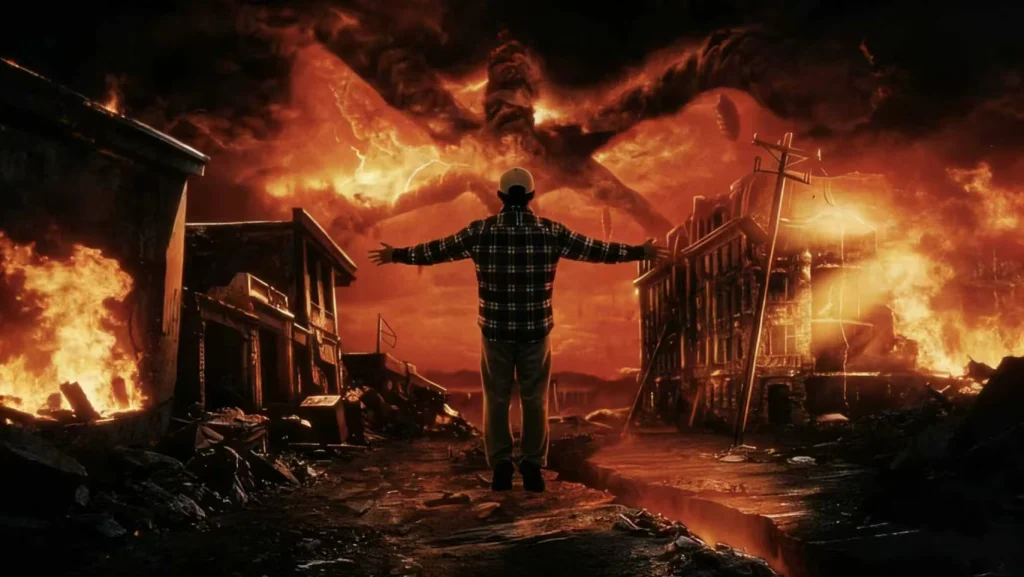
Turn this selfie into a Stranger Things AI photo edit with a realistic levitation effect. Keep my face, body, skin tone, expression, and clothing completely unchanged. Make my body float slightly above the ground with believable physics: clothing and hair subtly lifting upward, a soft shadow on the ground below, and a faint upward pull pose. Replace the environment with an Upside Down cemetery background: crooked gravestones, wet ground reflections, drifting fog near the ground, floating spore/ash particles, and thick organic mycelium/vines on trees and stone. Sky should be an eerie deep crimson red with storm haze and subtle red light bleeding through distant cracks. Add cinematic contrast, film grain, and a soft vignette.
Optional “Mind Flayer vibe” (keep it subtle so it stays believable):
Add a very faint distant silhouette in the clouds (non-detailed, atmospheric), not a sharp monster.
Stranger Things pictures style: low-res vertical selfie collage
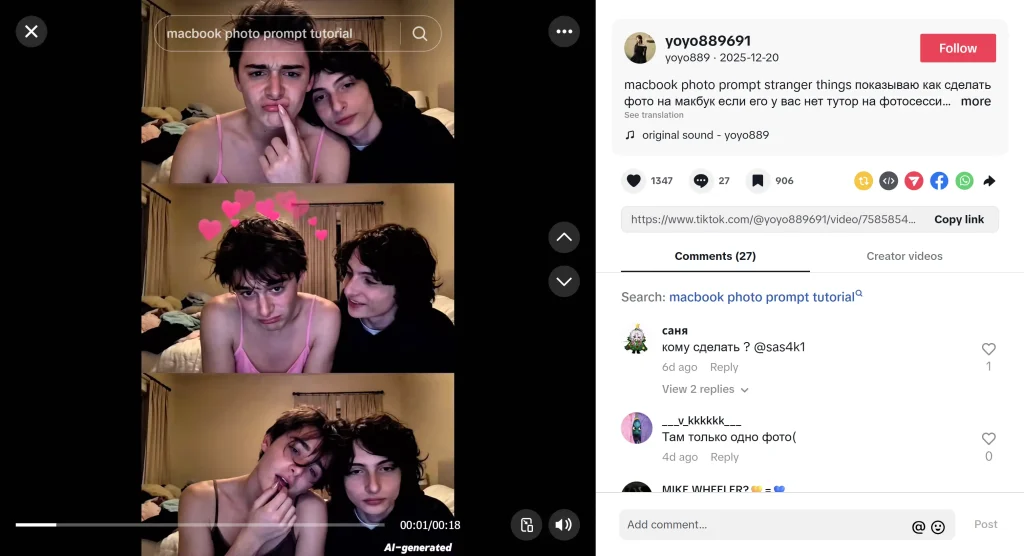
This goes viral because it feels casual and real: low-res, webcam-ish, slightly compressed—like a 3-frame photo booth strip.
Prompt pack: 3-frame vertical collage (MacBook vibe)
Prompt
Create a vertical three-frame photo strip (three stacked frames). Each frame is a slightly different moment of the same selfie, like a casual MacBook webcam capture: low resolution, mild compression artifacts, soft sensor noise, and imperfect lighting. Keep the person consistent across all frames (same face and clothing). Add subtle Stranger Things Upside Down atmosphere: faint crimson tint, light fog, a few small background vine textures, and sparse floating particles—nothing overdone. Make it feel like a real imperfect webcam capture, not a glossy AI poster. No readable text or UI overlays.
If it becomes too “template glossy”:
Reduce stylization. Keep effects subtle and realistic. Prioritize webcam texture and imperfections.
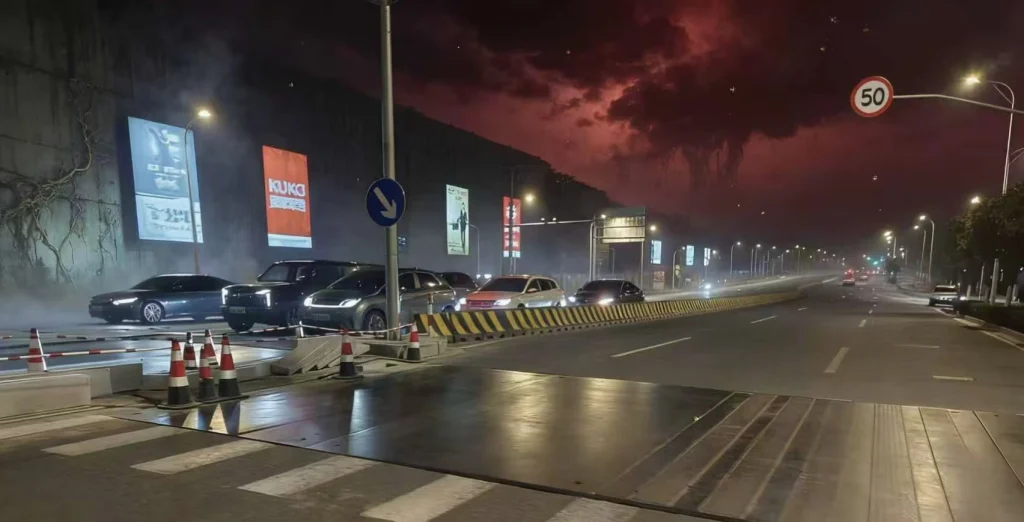
Stranger Things AI photo prompt style: Upside Down red sky background replacement
This is one of the most reliable viral formats because it’s basically: keep foreground, swap sky + grade.
Prompt pack: Red sky Upside Down environment swap
Prompt
Keep the original subject and foreground unchanged. Replace the background/sky with an Upside Down atmosphere: deep crimson red storm sky, low haze, drifting fog, and subtle floating spores. Add wet corrosion and faint vine/mycelium textures only on background surfaces (walls/trees/buildings), not on the subject. Match scene perspective and lighting direction so the subject still fits naturally. Add cinematic contrast with subtle film grain.
Quick fix line (if the subject looks “cut out”):
Add a subtle red rim light on the subject edges matching the new sky glow.
Troubleshooting: fix bad Stranger Things AI photo edits
Problem: Vines cover the subject
Fix line: “Vines/mycelium only on background walls/floor. Keep the subject fully visible.”
Problem: Face drift / identity changes
Fix line: “Preserve the face exactly. Do not change facial features, expression, or skin tone.”
Problem: Hands/fingers look wrong
Fix line: “Preserve hands exactly. Do not change finger count or hand pose.”
Problem: The image is too dark
Fix line: “Keep the scene eerie but readable. Maintain visible midtones and subject detail.”
Problem: It looks ‘generic spooky,’ not Stranger Things
Fix line: “Add Upside Down signatures: crimson glow, wet mycelium vines, floating spores, fog, light-bleeding cracks.”
Problem: Random text/watermarks appear
Fix line: “Do not add any text, logos, watermarks, UI elements, or subtitles.”
FAQ: Stranger Things AI photo editing
What is the best Stranger Things AI photo generator for beginners?
Any image-editing AI that supports photo upload + iterative prompting can work. The key is using a strong Stranger Things AI photo prompt with a restrictions block to protect faces, hands, and composition.
Can I use these prompts as a Stranger Things prompt generator?
Yes—copy the “Stranger Things prompt generator” template in this post and generate multiple variations (light/medium/heavy grain) for faster iteration.
How do I create funny pictures Stranger Things style without ruining the mood?
Keep the lighting and textures serious, then add one tiny Easter egg. For example, hide a small upside down face emoji as a realistic sticker in the background.
Why do my Stranger Things pictures look like a plain dark filter?
Because the model wasn’t instructed to add the Upside Down signatures: crimson glow + wet vines/mycelium + spores + fog + light-bleeding cracks. Add them explicitly.
Leave a Reply