Last Updated on January 22, 2026 by
Boomerangs remain one of Instagram’s most engaging content formats, yet Instagram’s interface has evolved significantly. The standalone Boomerang app was discontinued in 2022, and frequent UI updates mean most tutorials show outdated navigation.
This guide shows exactly where to find Instagram’s boomerang features today, how to leverage all four creative modes, and the workaround to convert existing camera roll content into boomerangs for your branded campaigns.
What Is a Boomerang Video (And Why Marketers Still Love It)
Boomerangs capture attention through hypnotic back-and-forth motion. For marketing professionals, they’re perfect for product reveals, action shots, and micro-moments that stop the scroll.
Boomerang vs Loop vs GIF: Understanding the Difference
These terms often cause confusion:
- Boomerang: Plays forward then backward in continuous motion
- Loop: Repeats forward-only, restarting each cycle
- GIF: Compressed image sequences, typically lower quality
Understanding this distinction prevents frustration when your results don’t match expectations.
Why Boomerangs Drive Higher Engagement for Branded Content
The forward-backward motion creates a mesmerizing effect that holds viewer attention longer than static images or single-direction video. This makes boomerangs ideal for champagne pours, fashion reveals, and product demonstrations that benefit from repeated viewing.
Where to Find Instagram’s Boomerang Feature in 2026
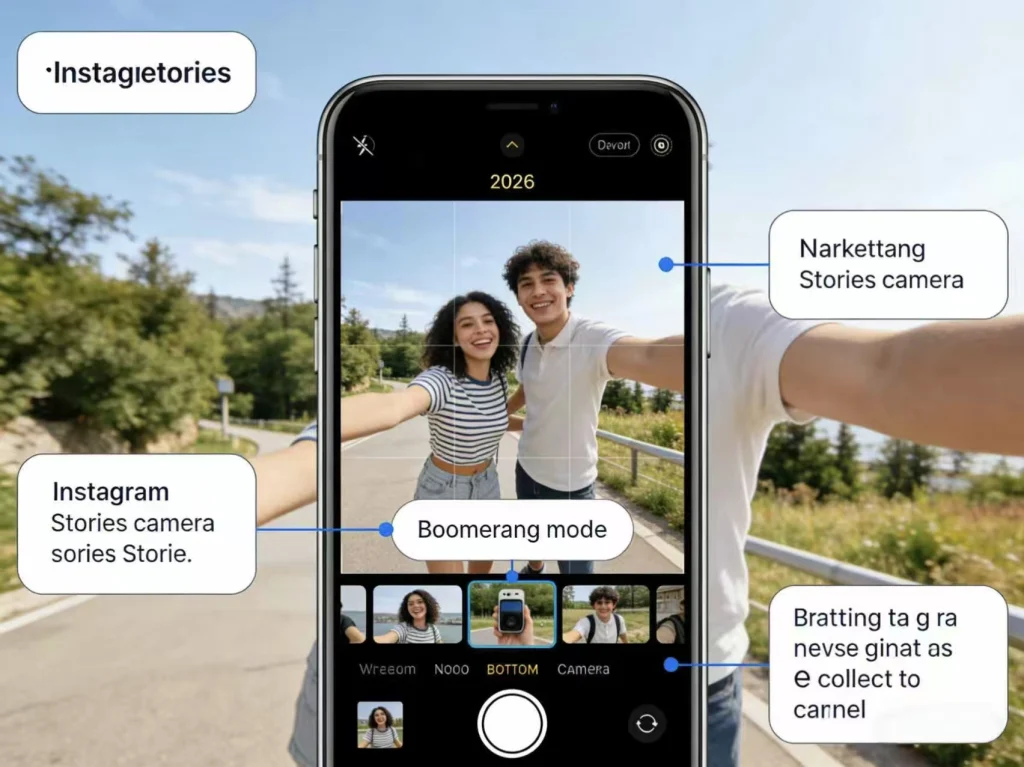
Instagram’s interface changes have left many marketers searching for features that moved or merged.
The Standalone Boomerang App Is Gone – Here’s What Replaced It
Instagram discontinued its standalone Boomerang app in 2022. All boomerang functionality now lives within the main Instagram app. Stop searching the App Store—everything you need is already installed.
Finding Boomerang in Instagram Stories (Current Navigation)
Follow these steps:
- Open Instagram
- Tap + or swipe right to access Stories
- Swipe through camera modes at the bottom
- Select Boomerang
The mode carousel position may vary with updates, but the feature remains accessible through Stories.
Boomerang Effects in Instagram Reels
Reels offers some looping and reverse effects, though the dedicated Boomerang mode with all four variants is most accessible through Stories. For Reels content, consider creating your boomerang in Stories first, then repurposing.
All 4 Instagram Boomerang Modes Explained
Most users only know Classic mode. Mastering all four gives your campaigns creative versatility.
Classic Mode – The Original Boomerang Effect
The standard forward-backward loop at normal speed. Best for: Quick action shots, champagne pours, product drops.
Slo-Mo Mode – Dramatic Slow Motion Loops
Slowed-down boomerang creating cinematic drama. Best for: Beauty shots, fashion reveals, luxury brand content.
Echo Mode – Ghostly Motion Trails
Creates trailing ghost effects with motion blur. Best for: Dynamic movement, dance content, sports action, lifestyle brands.
Duo Mode – Dynamic Glitch Rewind
Combines rewind with textured glitch visuals. Best for: Edgy content, tech brands, creative campaigns seeking maximum visual distinction.
Choosing the Right Mode for Your Brand Campaign
Match mode to tone:
- Luxury/Premium: Slo-Mo for sophistication
- Tech/Innovation: Duo for edge
- Lifestyle/Energy: Echo for dynamism
- Universal: Classic for reliability
How to Make a Boomerang from Camera Roll Content (Live Photo Workaround)
The most common pain point: Instagram doesn’t allow boomerangs from existing videos. Here’s the solution.
Why Instagram Doesn’t Allow Boomerangs from Existing Videos
Instagram’s native boomerang only works for live recording—a platform limitation that frustrates marketers with existing b-roll or campaign footage.
Step-by-Step: Converting iPhone Live Photos to Boomerangs
- Capture as Live Photo (ensure Live Photos is enabled in Camera)
- Open Photos app
- Tap the photo, then tap Live in the upper left
- Select Bounce from the dropdown
- Upload to Instagram Stories
This creates the boomerang effect before uploading.
The Bounce Effect: How It Differs from Instagram’s Native Boomerang
iOS Bounce produces similar results but may differ slightly in speed and smoothness. For most marketing purposes, the difference is negligible.
Android Alternatives for Camera Roll Boomerangs
Android users without Live Photos can use third-party apps. CapCut (free) offers a simple workflow: import video, duplicate the clip, reverse the duplicate, and export. This creates a manual boomerang effect for any platform.
Pro Tips for Creating Marketing-Worthy Boomerangs
Elevate basic knowledge to professional execution.
Ideal Duration and Framing for Maximum Impact
- Duration: 1-3 second action window works best
- Framing: Center your subject
- Loop point: Ensure clear start/end for smooth transitions
- Background: Keep it stable and uncluttered
Lighting and Movement Fundamentals
Good lighting is critical—boomerangs compress visual information. Ensure subject movement is deliberate and repeatable. Avoid backgrounds that distract from the action.
Planning Boomerangs for Product Launches and Campaigns
Pre-plan boomerang moments in campaign storyboards. Coordinate with product photography shoots. Create variations for A/B testing in Stories.
Enhancing Boomerang Quality for Professional Campaigns
For higher production value, capture source content at higher quality, then enhance before sharing. Browser-based platforms like GStory.ai can upscale video quality to 4K, ensuring boomerangs look crisp even after Instagram’s compression.
Common Boomerang Mistakes Marketers Make (And How to Avoid Them)
Avoid these frequent issues found across marketing teams.
Trying to Boomerang Non-Live Photos from Camera Roll
Standard photos and videos won’t convert natively. Solution: Plan ahead and capture as Live Photos, or use the recording method.
Choosing the Wrong Mode for Your Content Type
Mode mismatch produces underwhelming results—Echo on slow movements falls flat. Reference the mode selection guide above.
Forgetting Instagram’s Minimum Duration Requirements
If your boomerang is too short, Instagram may reject it. Ensure your captured moment has enough frames. You may need to repeat the action during recording.
FAQs About Instagram Boomerangs in 2026
Can You Make a Boomerang from an Existing Video on Instagram?
Not natively. Use iPhone Live Photos with Bounce effect, or third-party apps like CapCut to create the effect before uploading.
What Happened to the Boomerang App by Instagram?
Discontinued in 2022. All functionality is now integrated into the main Instagram app within Stories camera modes.
Can You Use Boomerang in Instagram Reels?
Yes, though with different access. The dedicated Boomerang mode with all four variants is most accessible through Stories.
Why Does My Boomerang Look Blurry or Low Quality?
Common causes: poor lighting, excessive movement, or Instagram compression. Ensure good lighting and deliberate movements. Consider enhancing source video quality before posting.
How Long Should a Boomerang Be for Instagram Stories?
Instagram boomerangs capture approximately 1-3 seconds of content. Keep actions contained within this window for the cleanest loop.
Conclusion
Instagram’s boomerang feature remains powerful for creating engaging branded content in 2026. By knowing exactly where to find the feature, mastering all four modes (Classic, Slo-Mo, Echo, Duo), and using the Live Photo workaround for existing content, you can consistently create high-performing loops.
Start experimenting with all four boomerang modes in your next campaign—test which resonates most with your audience. For teams creating high-volume content, consider integrating AI-powered enhancement tools like GStory.ai to ensure every boomerang meets professional quality standards.
Leave a Reply