Last Updated on March 31, 2026 by
The AI-generated voice sounded nothing like me—robotic, flat, and honestly embarrassing. I’d spent an hour uploading my Spanish interview footage, only to hear some generic TTS voice butcher what was supposed to be my content. After that disaster, I tested five different tools over the next few weeks. Not to write a review. Just to find something that actually worked.
What follows is what I found. Some tools surprised me. Most disappointed me. One changed how I think about video translation entirely.
What I Look for in a Video Voice Translator Tool
Three things. That’s it.
Voice quality—does it sound human or machine? Lip-sync—do the mouth movements match, or does it look like a bad dub from the 90s? And flexibility—can I keep my original voice, or am I stuck with whatever voices the tool offers?
Most tools fail on at least two of these. Some fail on all three.
I’m not interested in “supports 100 languages” or “cloud-based processing.” I care about whether my finished video looks professional or looks like a joke.
Tool-by-Tool Voice Comparison: My Real Results
Speechify: Multiple Voices, Still Sounds AI-Generated
Speechify markets itself as a text-to-speech platform, and that’s exactly what it delivers. Multiple voice options, different accents, reasonable quality for audiobooks.
You can upload a local video, or paste a URL from Youtube, TikTok and Instagram when you use AI dubbing fuction.
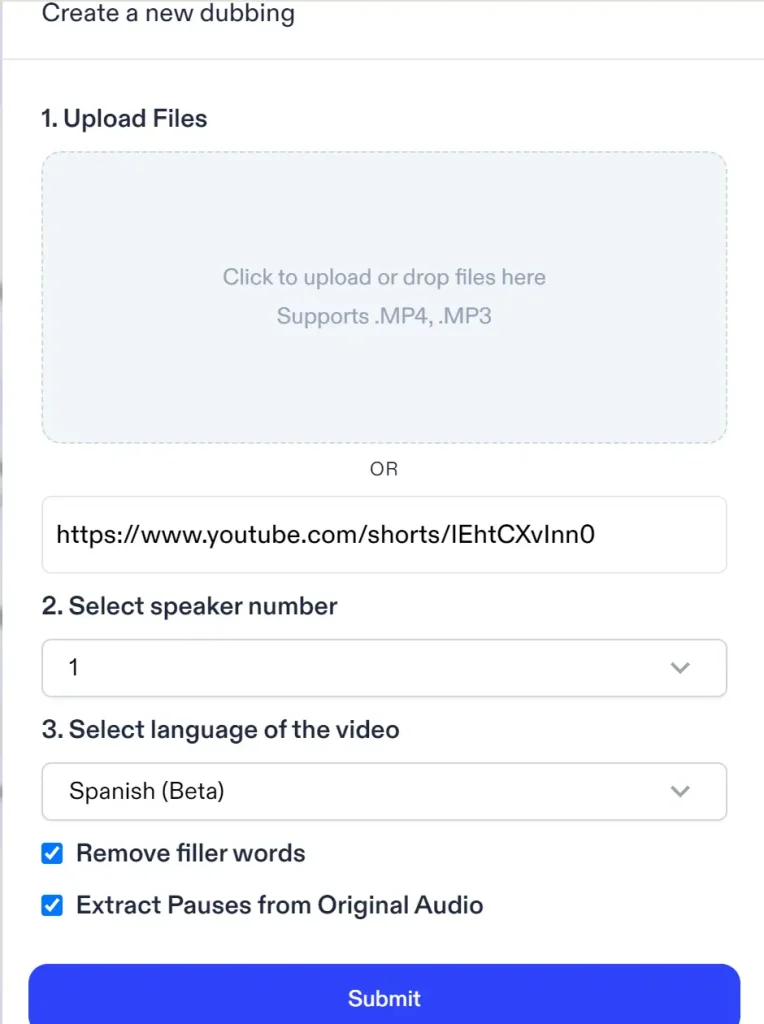
Unfortunately, to use Speechify’s AI dubbing function, you have to upgrade to a premium plan cost $8/month at least, without any free credits.
The problem: every voice sounds like an robot reading a script. No natural pauses. No imperfection. No humanity. And lip-sync? Nonexistent. Speechify isn’t built for video. If you need to match audio to facial movements, look elsewhere.
I tested it with a 37-second clip. The output was far away from AI dubbing in my imagination. When I search for other reviews on its TTS features and refund policies, the discussion on Reddit community prevent me from paying for it.
ElevenLabs: Best Voice Cloning, But Complex Workflow
Compara to Speechify and other tools, ElevenLabs allows a more detailed and clear pre-upload setting.
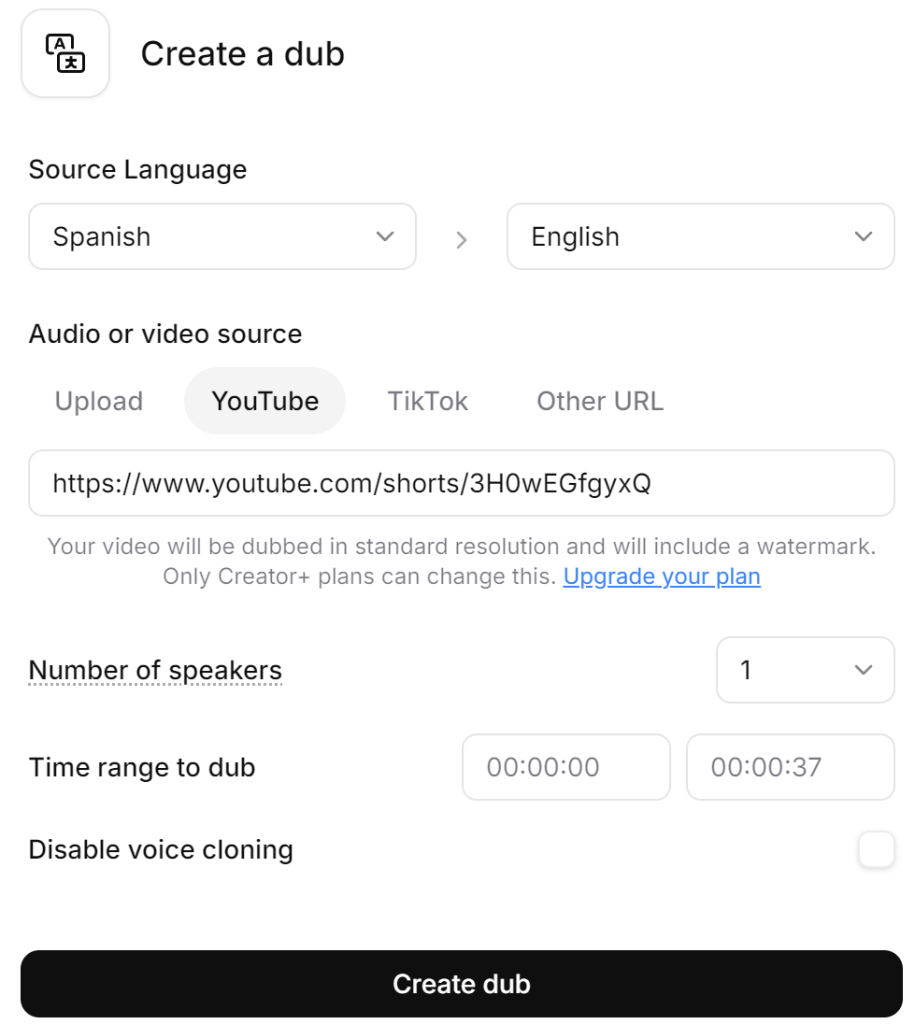
You don’t need upload samples of your voice, and it can generate new speech that actually sounds like you. If you do mind the privacy of your sound, just check “Disable voice cloning”. The technology is genuinely impressive—it preserves vocal characteristics, cadence, even emotional tone.
After generating, ElevenLabs offers the most natural-sounding voice cloning I’ve encountered. It is not the same as the original voice, but it is close to it. At the same time, it can be seen that how many credits the processing spent as well. That’s quite important for users!
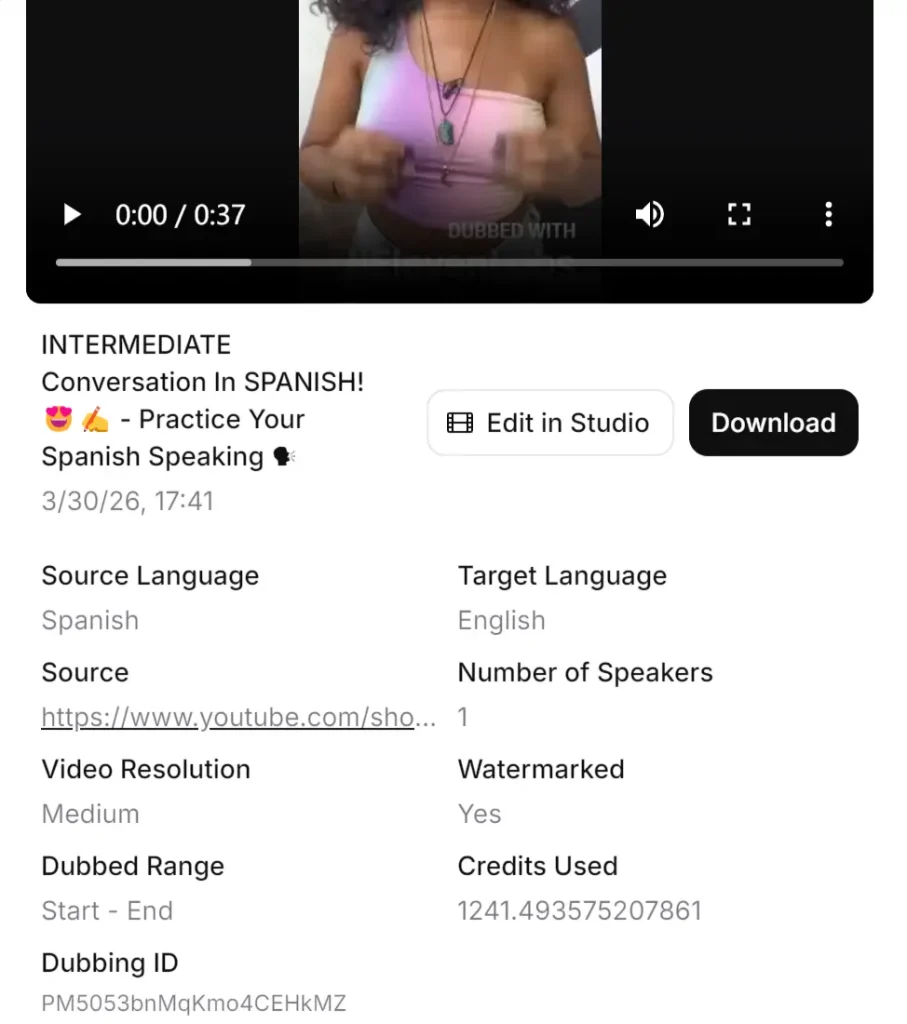
As for video quality, it is evident that—compared to the original footage—the output generated with AI dubbing suffers from a noticeable drop in clarity, and the ElevenLabs watermark also occupies a significant portion of the frame. Of course, if one were to use the paid version, it should be possible to remove the watermark.
ElevenLabs also allows download the output or video editing through “Edit in Studio”. It’s a voice synthesis tool, not a complete video translator. So you need a separate transcription step where a paymeny wall stands, then import everything into your video editor for manual syncing.
For a single video, this is manageable. For regular content, it’s not very convenient. I spent more time managing the workflow than actually creating content.
The voice quality justifies the effort for high-stakes projects. For everyday video translation? Too many steps.
GStory Video Translator: Original Audio Preservation + Lip-Sync
This is the one that changed my approach.
GStory Video Translator does something the others don’t: it lets you keep your original audio. Your actual voice, preserved, with translated subtitles synced to the video. Or, if you want dubbing, it offers AI voice generation with lip-sync technology that matches mouth movements.
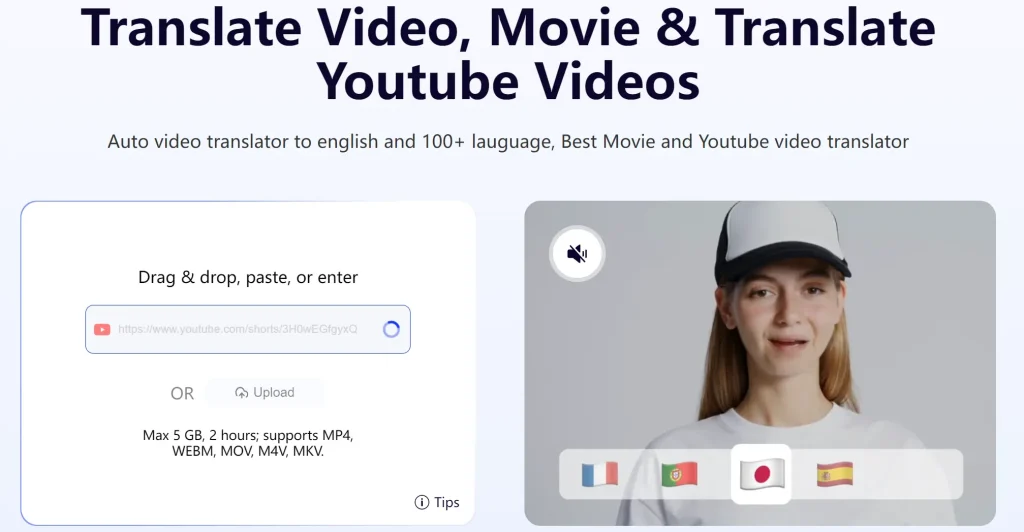
The flexibility matters. I’m not forced to choose between “sound like yourself but no translation” and “perfect translation but lose your voice.” I can do both. Subtitles with original audio for authenticity. Dubbed sections where narration makes sense.
The lip-sync surprised me. I’ve seen plenty of AI dubbing tools that claim to match mouth movements. Most of them don’t. GStory’s actually does—not perfect, but close enough that viewers don’t notice the discrepancy.
Processing a 10-minute Spanish video took about under an hour. Upload, translate, choose my output format, done. No separate transcription tool. No manual syncing in Premiere. One platform, start to finish.
Lip-Sync Accuracy: Which Tools Actually Match Mouth Movements?
Why Lip-Sync Matters for Viewer Trust
Out-of-sync audio looks amateur. Viewers notice it immediately, even if they can’t articulate what’s wrong. It triggers the same discomfort as a bad foreign film dub—something is off, and it’s distracting.
For talking-head content, interviews, tutorials—anything where someone is speaking directly to camera—lip-sync isn’t optional. It’s essential.
Side-by-Side Lip-Sync Results
Most tools I tested don’t even attempt lip-sync. Speechify, Sonix—none of them adjust video to match translated audio. You get new audio, same video, obvious mismatch.
ElevenLabs doesn’t touch video completely. You’d need a separate tool for further manipulation.
GStory is the only one in my testing that handles lip-sync as part of the translation process. The AI adjusts mouth movements to match the translated audio. It’s not flawless—occasionally you’ll notice a slight disconnect—but it’s dramatically better than no adjustment at all.
[Image: Side-by-side comparison showing original Spanish audio with matching lip movements vs. translated English audio with AI-adjusted lip-sync]
The 2-3 Second Delay Problem
Real-time translation apps suffer from processing delay. Speak Spanish, wait 2-3 seconds, hear English. For live conversations, this creates awkward pauses.
For pre-recorded video, the delay doesn’t matter—you’re not translating in real-time. But many tools carry over that slow processing to file-based translation, making the workflow painful.
GStory processes video files without the conversational delay constraints. The final output is properly synced from the start.
Voice Options: Preset TTS vs. Original Audio Preservation
Tools That Lock You Into Generic Voices
Speechify gives you 20+ voices. Sonix offers a handful. Maestra has several options.
None of them are your voice.
The choice becomes: which stranger’s voice do you want speaking your content? Male? Female? American accent? British? You pick from a menu, and your unique vocal identity disappears.
For corporate content where personality doesn’t matter, this works. For creators building personal brands? It defeats the purpose.
The Original Audio Advantage
Your voice is part of your brand. Audiences connect with specific vocal patterns, speech rhythms, verbal quirks. Translation that erases this severs the connection.
Preserving original audio with translated subtitles maintains that bond. Viewers hear you—the actual you—while reading the translation. It’s how foreign films work at their best. The original performance, the original voice, the original emotion.
This matters more for some content than others. But when it matters, nothing else substitutes.
How GStory Handles Voice Flexibility
The approach that worked for me: original audio preserved, with translated subtitles burned into the video. Viewers hear my actual voice. They read the English translation. The authenticity stays intact.
For sections with narration over b-roll—where my face isn’t on screen—I use the AI dubbing option. No lip-sync needed since there’s no face to match. Best of both worlds.
GStory supports both modes in the same video. Switch between preserved audio and AI dubbing based on what each section needs.
Best Use Cases for Each Voice Translation Approach
When Original Audio + Subtitles Works Best
Interviews. Documentaries. Any content where authenticity drives engagement.
If viewers are watching to connect with a person, let them hear that person. Subtitles don’t diminish that—they enhance it by making the content accessible.
When AI Dubbing Makes Sense
Quick social media clips. Entertainment content. Situations where speed matters more than vocal personality.
TikTok viewers scrolling through feeds aren’t building deep connections with creators’ voices. They’re watching for 15 seconds and moving on. Generic AI dubbing works fine here.
The Hybrid Approach for Professional Results
The workflow I’ve settled on: subtitles with original audio for talking-head segments, AI dubbing for narrated sections.
It takes slightly longer than full automation. But the output looks professional instead of processed.
My Final Recommendation for Spanish to English Video Translation
For Voice Quality Purists: Keep Your Original Audio
If your voice is part of your brand, don’t replace it. Tools like GStory that preserve original audio while adding translated subtitles offer the best of both worlds.
For Quick Translations: Accept the TTS Trade-off
If you need translated video fast and voice personality doesn’t matter, basic TTS tools work. Just understand what you’re sacrificing.
For Content Creators: The Workflow That Works
Start with transcription (Whisper or GStory’s built-in option), translate, then choose your output—subtitles for authenticity, dubbing for convenience, hybrid for professional quality.
Try GStory’s Video Translator to test with your own content. Free credits let you evaluate before committing.
FAQs of Spanish to English Translator Voice
Which Spanish to English translator voice sounds most natural?
For cloned voices, ElevenLabs produces the most natural results but requires a complex workflow. For integrated solutions, GStory’s AI dubbing with lip-sync offers the best balance of quality and convenience.
Can I keep my original voice when translating videos to English?
Yes—GStory Video Translator lets you preserve your original Spanish audio while adding English subtitles. You’re not forced to use AI-generated voices.
How accurate is AI lip-sync for Spanish to English video translation?
Current AI lip-sync is good but not perfect. GStory’s technology produces results that most viewers won’t notice are adjusted, though close inspection may reveal minor discrepancies.
What’s the best free Spanish to English voice translator for videos?
Google Translate offers free audio translation but no video integration. GStory provides free credits for testing full video translation with lip-sync and dubbing features.
How do I translate Spanish audio to English without losing voice quality?
Preserve your original audio track and add translated subtitles. This maintains your vocal identity while making content accessible to English speakers.
Conclusion
After testing five tools, the pattern is clear: most video translators force you to sacrifice voice authenticity for translation convenience. Generic TTS voices, no lip-sync adjustment, workflows that require three separate tools.
GStory is the exception. Original audio preservation, actual lip-sync technology, and flexibility to mix approaches within the same video.
For content creators who care about voice quality—which should be all of us—that flexibility isn’t optional. It’s the difference between translated content that sounds like you and translated content that sounds like everyone else.
Ready to test it? Try GStory Video Translator with your own Spanish content and see how your videos sound with original audio preservation.
Leave a Reply