Last Updated on February 26, 2026 by Leslie
Creators don’t quit video because they “hate editing.” They quit because editing steals the hours they needed to publish. You open a timeline, lose momentum, and suddenly a single short video costs an entire evening.
CapCut, Descript, and OpusClip all claim to fix that. They do, but in totally different ways. One is a flexible all-in-one editor. One turns your script and transcript into the edit. One is basically a factory for turning long videos into shorts.
This guide helps you choose the right AI powered video editing tools without bouncing between free trials, subscriptions, and half-finished workflows. You’ll see what each tool is actually good at, where it falls apart, and which one matches the way you make content.
Quick Comparison of CapCut vs Descript vs OpusClip
Feature Comparison Table
| Feature | CapCut | Descript | OpusClip |
| Auto captions | Yes | Yes | Yes |
| Silence removal | Yes | Yes | Yes |
| Text based editing | No | Yes | No |
| Long to short clips | Manual | Possible | Core feature |
| Templates and effects | Strong | Limited | Limited |
| Mobile editing | Yes | No | Yes |
| Best free value | Strong | Medium | Limited |
| Best for repurposing | Medium | Medium | Strong |
Best For Summary
- CapCut: The most flexible AI-powered video editor for short-form creators who want templates, effects, and fast turnaround.
- Descript: The best AI video editor tool for transcript-driven edits, podcasts, interviews, and clean talking-head cuts.
- OpusClip: The best AI clip editor for turning long videos into multiple short clips at scale.
What Makes These Three Tools Different
Many tools can add captions. That’s no longer a differentiator. The real difference is where each tool saves you time.
CapCut saves time by giving you ready-made visual moves. You get templates, auto-reframe, captions, effects, and a workflow that feels built for TikTok, Reels, and Shorts.
Descript saves time by letting you edit the words first. You remove filler words, tighten pacing, and cut sections by deleting text. If you work in voice-led content, this is a huge shift in speed.
OpusClip saves time by finding moments for you. You upload a long video, it detects highlights, formats them for platforms, adds captions, and outputs multiple clips. For teams repurposing webinars or podcasts, it can feel like cheating.
If you’re shopping for artificial intelligence for video editing, this is the key point: the “best” tool depends on whether you start with a timeline, a transcript, or a long library of content.
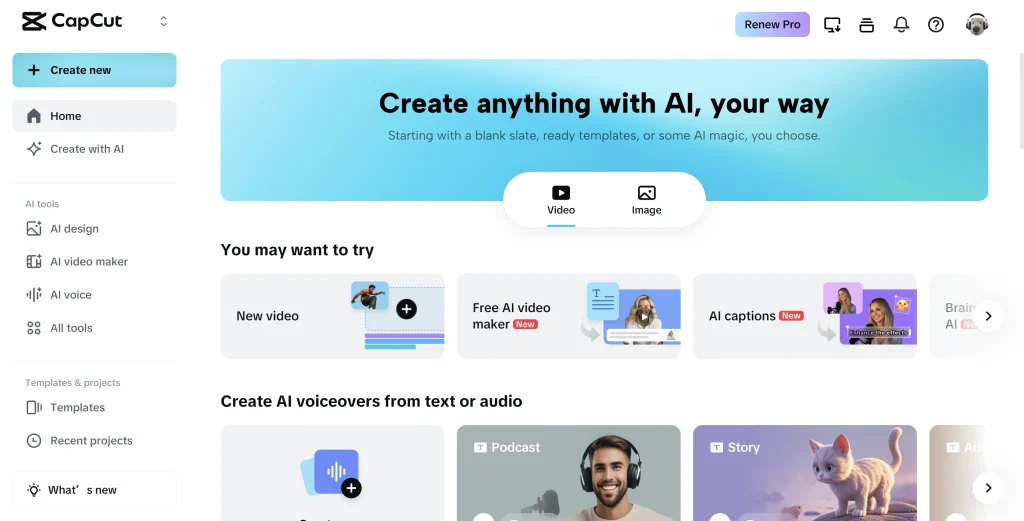
CapCut Overview
What CapCut Is Best At
CapCut is the Swiss army knife option. It’s an AI-powered video editor that works for creators who want speed plus creative control. You can make a short from scratch, polish a clip, or assemble a full piece with templates and effects.
If your content is visual and fast-paced, CapCut tends to win because it makes the “look” part easy.
CapCut Key Features
- Auto captions with styling controls
- Silence removal and basic cleanup tools
- Auto reframe for different aspect ratios
- Templates, transitions, effects, and trending styles
- AI features like cutouts, background tools, and creator-oriented automation
- Strong mobile workflow for editing anywhere
This is why CapCut is often the first editor new creators actually finish projects in. It reduces friction.
CapCut Pros
- The free tier is genuinely usable
- Huge template ecosystem that saves time
- Great for Shorts, Reels, and TikTok workflows
- Fast turnaround for creators posting daily
- Mobile editing is smooth and practical
CapCut Cons
- No true text-based workflow
- Repurposing long content is still manual
- Privacy-conscious users may care about platform ownership and data handling
CapCut Best For
CapCut is best if you are a short-form creator, social media manager, or marketer who needs a flexible AI video editor tool that can go from raw footage to platform-ready quickly.
If you keep thinking, “I just need something simple that still looks good,” CapCut usually fits.
Descript Overview
What Descript Is Best At
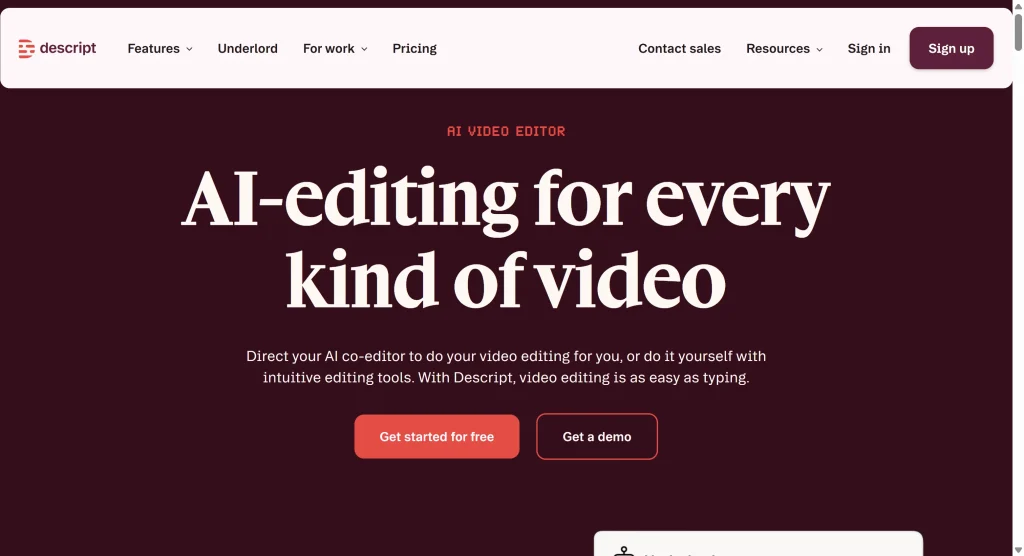
Descript is the tool for people who edit conversations. Podcasts, interviews, talking-head YouTube, webinars with lots of speech. The killer feature is text-based editing. You edit the transcript, and the video follows.
If timelines make you miserable, Descript is the most “different” option here. It feels like writing and editing a document more than editing video.
Descript Key Features
- Transcript-based video and audio editing
- Automatic filler word removal and silence trimming
- Studio Sound style audio enhancement
- Screen recording and simple multi-track workflows
- Voice tools like Overdub depending on plan and permissions
If you care about tight pacing and clear audio, Descript is strong because it was designed around spoken content.
Descript Pros
- Text-based editing is fast once it clicks
- Great for tightening dialogue-heavy content
- Audio cleanup tools can save a messy recording
- Easy to produce podcast-style edits without deep timeline skills
Descript Cons
- Less intuitive for visual, effect-heavy editing
- No real mobile workflow
- Learning curve if you expect traditional editing
Descript Best For
Descript is best for podcasters, educators, interview channels, and anyone doing talking-head content who wants artificial intelligence for video editing that focuses on words, clarity, and structure.
If your video is basically “the conversation is the product,” Descript can cut your edit time massively.
OpusClip Overview
What OpusClip Is Best At
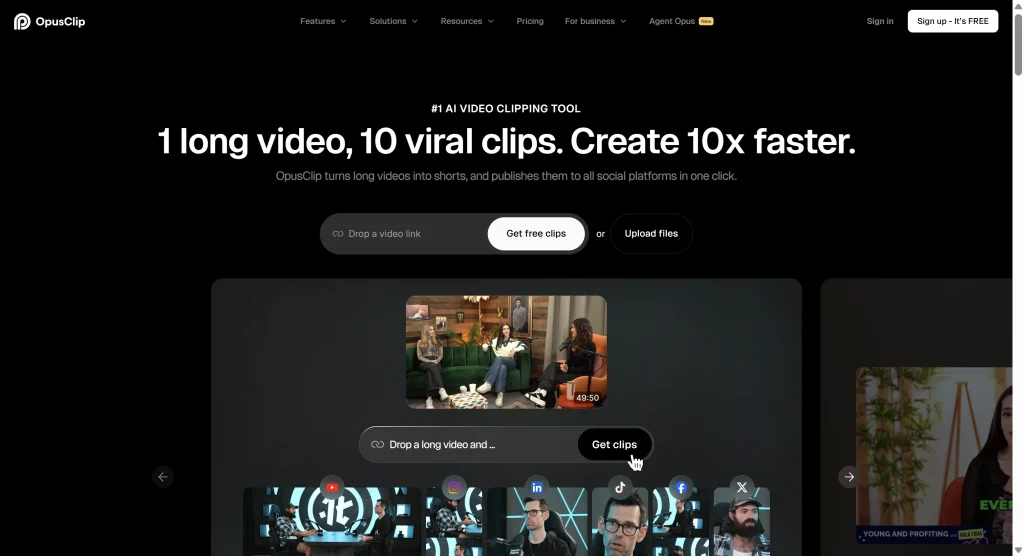
OpusClip is a specialist. It is an AI clip editor built for repurposing long videos into short clips. It is not trying to be a full editing suite. It’s trying to output a stack of usable shorts quickly.
This is the tool you choose when you already have long content and your bottleneck is “finding moments” and “formatting for platforms.”
OpusClip Key Features
- Automatic highlight detection for long videos
- Batch clip generation
- Captions designed for short-form viewing
- Multi-platform sizing and formatting
- Features like scoring or ranking clip potential depending on plan
The real value is volume. If you upload one hour, the output can be many clips.
OpusClip Pros
- Saves time on clip discovery
- Great for consistent repurposing workflows
- Output is already formatted for social platforms
- Useful for teams and creators with content libraries
OpusClip Cons
- Not a full editor
- Limited creative control compared to CapCut
- Results are best on speaking content and clear structure
- You may still need a second tool for final polish
OpusClip Best For
OpusClip is best for podcasters, webinar hosts, agencies, and long-form YouTubers who want a dedicated AI clip editor to scale content output.
If your goal is “turn one long video into ten shorts,” OpusClip is the most direct path.
Head to Head Comparison on Real Editing Jobs
Captions and Subtitles
All three handle captions well for clear audio. The difference is control and workflow.
CapCut gives you strong styling and a social-first look. Descript makes captions part of transcript editing, so they feel natural for dialogue cleanup. OpusClip generates captions as part of repurposing output, often optimized for short-form readability.
If captions are your top priority, you are not choosing based on “who has captions,” you are choosing based on “who gives me captions in the workflow I already like.”
Silence and Filler Word Removal
Descript is usually the most precise here because it is built around spoken words. CapCut does a solid job for quick trimming. OpusClip removes silence during clip creation, which is convenient, but sometimes you’ll want to adjust pacing afterward.
If you do interview editing, this is where Descript feels like real artificial intelligence for video editing instead of just a feature list.
Text Based Editing
Descript wins. If you want to delete a paragraph and watch the cut happen, that is Descript’s core identity.
If text-based editing sounds like the reason you’re shopping, you already have your answer.
Long to Short Repurposing
OpusClip wins. It is literally an AI clip editor designed for this job.
CapCut can do it manually, and Descript can do it with effort, but OpusClip is built to create multiple clips quickly. That matters if your strategy is volume.
Creative Control and Visual Style
CapCut wins. Templates, effects, transitions, and visual pacing are CapCut’s home turf.
Descript is more minimal visually. OpusClip is more automated visually. If you care about “this needs to look like my brand,” CapCut is the easiest place to make that happen.
Decision Guide for Choosing the Right Tool
Choose CapCut If You Want One Tool That Can Do Almost Everything
Pick CapCut if you publish short-form content often, want effects and templates, and prefer a timeline-style editor that still feels beginner-friendly.
CapCut is the best fit when your workflow includes visual choices, fast pacing, and social-first formats. If you want an AI-powered video editor that can go from idea to export without switching apps, CapCut is a strong bet.
Choose Descript If Your Content Is Driven by Speech
Pick Descript if your content is podcasts, interviews, talking-head education, or anything where editing means “tighten what was said.”
Descript is the right AI video editor tool when you think in words first, then visuals. It is also one of the clearest examples of artificial intelligence for video editing actually changing how the edit is done.
Choose OpusClip If You Need Repurposing at Scale
Pick OpusClip if you already have long content and you want to turn it into a steady stream of shorts. It is the fastest path to volume.
OpusClip is the best choice when you need a dedicated AI clip editor to handle clip discovery, formatting, and repeated output.
A Practical Two Tool Workflow That Often Beats One Tool
Many creators end up using two tools because each tool is optimized for a different step.
A common pattern is OpusClip to find clips, then CapCut to polish them with branding, pacing, and visuals.
Another pattern is Descript for the rough cut of a conversation, then CapCut for the final social edit. Descript makes the dialogue tight. CapCut makes it look like content people stop scrolling for.
If you are building a serious pipeline with AI powered video editing tools, you don’t need one perfect tool. You need a workflow that reduces your slowest step.
Real World User Concerns You Should Think About Before You Commit
Subscription Fatigue and Credit Systems
A tool can feel cheap until you realize your workflow hits limits. Some tools charge by plan. Some tools gate heavy usage with credits. If you publish daily or repurpose in batches, the pricing model matters as much as the feature list.
When you compare an AI-powered video editor, don’t just compare monthly price. Compare what you can actually export in your normal week.
Learning Curve Versus Output Quality
CapCut is fast to learn. Descript takes longer because it changes the mental model. OpusClip is easy to start but may need you to accept “good enough” automation unless you polish elsewhere.
If you are a beginner, you often want a tool that rewards you on day one. CapCut usually does that. If you are optimizing a system, Descript and OpusClip can save more time long-term.
Privacy and Upload Requirements
OpusClip and Descript workflows often involve uploading content to be processed. CapCut can also involve cloud features depending on use. If you work with sensitive footage, client work, or internal recordings, read each tool’s policies and choose accordingly.
Alternatives Worth Considering
If none of these three fit, here are a few common alternatives people search for:
- VEED as a browser-first editor with captions
- Runway for creative AI features and experimental generation
- Synthesia for avatar-driven videos and business explainers
- GStory for clip and subtitle workflows with credit-based pricing if monthly subscriptions feel heavy
These can be useful depending on whether you need a full AI video editor tool, a niche AI clip editor, or a content pipeline tool.
FAQs About CapCut vs Descript vs OpusClip
What is the best choice for beginners
For most beginners, CapCut is the easiest entry point because you can get good-looking outputs fast. It is also a practical AI-powered video editor for creators who learn by publishing, not by studying.
Which tool is best for podcast editing
Descript is usually the best fit for podcasts and interviews because transcript editing and filler removal match the job. If you are shopping for artificial intelligence for video editing specifically for speech-heavy content, Descript is the clearest choice.
Which tool is best for YouTube Shorts
If you create Shorts from scratch, CapCut is usually best. If you extract Shorts from long YouTube videos, OpusClip is usually best. If your Shorts are basically highlights from interviews, Descript can also work well before you polish elsewhere.
Can I use these tools together
Yes, and many creators do. OpusClip plus CapCut is a common stack. Descript plus CapCut is also common. Using more than one of the best AI powered video editing tools is normal once you care about speed and consistency.
Will AI replace human editors
AI handles repetitive tasks well. Human editors still win on story, pacing choices, emotional beats, and taste. The best creators treat AI as leverage. That is the real value of artificial intelligence for video editing today.
Leave a Reply