
Last Updated on February 4, 2026 by gaojie
You found the perfect image for your project, but there’s a watermark plastered across it. Or maybe you need to delete watermark photo files that accidentally got branded by editing apps. Either way, you’ve probably discovered that most “watermark remover” tools don’t actually remove watermarks—they just blur them into an ugly smudge.
We tested over 20 watermark removal tools with real photos to find out which ones actually work. The results were eye-opening: some free tools outperformed paid subscriptions, while several popular options produced embarrassingly poor results.
This guide cuts through the marketing hype to show you exactly which tools can delete watermark photo content cleanly and which ones waste your time. Whether you need a quick free solution or professional-grade results, you’ll find tested recommendations with honest assessments.
Quick Answer: Best Watermark Removers by Category
Before diving into detailed reviews, here are our top picks after testing. Each tool earned its spot through actual performance, not marketing claims.
Best Free Option: Cleanup.pictures wins for free users who need to delete watermark photo content. It offers brush-based removal up to 720p resolution without requiring signup. The interface is intuitive—just paint over the watermark and watch it disappear. While the free version limits output resolution, the removal quality itself is impressive.
Best for Quality: Adobe Photoshop delivers the highest quality when you delete watermark photo files, but requires skill and a subscription. For dedicated watermark removal without the learning curve, Inpaint offers one-time pricing ($19.99) with professional-grade output that preserves image details around the removed area.
Best for Mobile: Snapseed is completely free with no watermarks on output. Google’s app includes a healing brush that helps delete watermark photo marks effectively. For more complex removals on mobile, TouchRetouch ($3.99 one-time) provides precision tools that justify the small investment.
Best for Batch Processing: HitPaw Watermark Remover excels at processing multiple images with consistent results. The subscription model makes sense for users regularly handling batch removal. For occasional batch needs, Inpaint’s batch mode offers better value with one-time pricing.
Legal Considerations Before Removing Watermarks
Understanding the legal landscape protects you from potential copyright issues. This isn’t just legal jargon—real consequences exist for improper watermark removal.
When Removal Is Acceptable
You can legally delete watermark photo content in several common scenarios. Removing watermarks from your own images is always acceptable—you own the copyright. Many photographers remove their own watermarks when repurposing content.
Preview images you’ve purchased can be cleaned up if the license terms permit. When you buy a stock photo, you typically receive the unwatermarked version, but if you only have the preview, check your license agreement.
Personal photos with accidental watermarks from editing apps are fair game. If an app stamped its logo on your family photo, removing it violates no one’s rights.
When You Should Purchase a License
Using removal tools on stock photos you haven’t licensed constitutes copyright infringement. Stock photo companies actively pursue legal action against infringers. Getty Images, for instance, uses reverse image search technology to find unauthorized usage.
For commercial projects, always purchase proper licenses. The cost of a stock photo license is negligible compared to potential legal fees. One cease-and-desist letter can cost more than a year’s worth of legitimate image licenses.
Best Online Watermark Removers (Free & Paid)
Web-based tools require no installation and work across all devices. Here’s how the leading options performed when we used them to delete watermark photo files.
Cleanup.pictures
Cleanup.pictures uses a brush-based approach that gives you control over exactly what gets removed. Paint over the watermark area, and the AI fills in the background intelligently.
Strengths: The free tier genuinely works without signup to delete watermark photo content. Results are clean, not blurry. The interface requires no learning curve.
Limitations: Free output maxes at 720p resolution. Larger images require the Pro subscription ($48/year). Complex watermarks may need multiple passes.
Best for: Quick personal use when you don’t need full resolution output.
WatermarkRemover.io
This tool automatically detects and removes watermarks without manual selection. Upload your image and the AI handles everything.
Strengths: Processing speed is impressive—most images complete in seconds. The AI detection works well for standard watermark placements.
Limitations: HD downloads require payment. The free version outputs noticeably lower resolution. Automatic detection sometimes misses partial watermarks.
Best for: Users who want speed over precision and don’t mind paying for quality output.
Inpaint Online
Inpaint’s web version brings desktop-quality removal to the browser. The marker tool lets you precisely define watermark boundaries for cleaner results when you delete watermark photo content.
Strengths: Handles complex watermarks that defeat automatic detection. Results preserve texture and detail around removed areas. One-time pricing ($19.99) beats subscription fatigue.
Limitations: Requires more user input than automatic tools. Processing takes longer than competitors. Interface feels dated compared to newer options.
Best for: Difficult watermarks that other tools blur or miss entirely.
DeWatermark.ai
DeWatermark.ai combines automatic detection with AI-powered reconstruction. The technology fills removed areas based on surrounding image content.
Strengths: AI accuracy impresses on logo watermarks. Results look natural without obvious artifacts. Free tier includes reasonable usage.
Limitations: Batch processing requires paid tier. Quality caps apply to free users. Complex tiled watermarks still challenge the system.
Best for: Logo and brand watermarks where natural reconstruction matters.
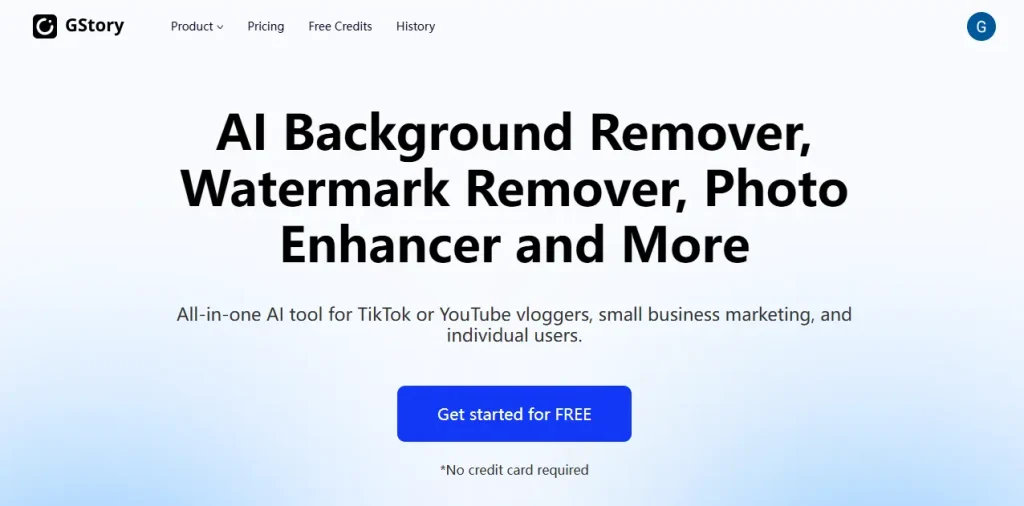
GStory.ai’s Photo Watermark Remover
uses advanced AI detection and intelligent reconstruction to remove watermarks while naturally restoring the underlying image. Its intuitive click-and-drag interface makes watermark removal fast and effortless, even for logos and complex branding marks. Unlike many tools, it preserves original image details and colors, delivering clean, realistic results that don’t look edited. Ideal for anyone who wants a simple, all-in-one solution with professional-quality output.
Best Desktop Software for Watermark Removal
Desktop applications offer more power and better results for serious users who need to delete watermark photo files regularly. Here’s what our testing revealed.
Adobe Photoshop
Photoshop’s Content-Aware Fill remains the gold standard to delete watermark photo content professionally. Combined with the Clone Stamp and Healing Brush, skilled users achieve results that automated tools can’t match.
Strengths: Unmatched quality ceiling. Complete control over every detail. Handles any watermark type with the right technique.
Limitations: Steep learning curve for beginners. Subscription pricing ($22.99/month minimum) adds up. Overkill for occasional use.
Best for: Professional photographers and designers already in the Adobe ecosystem who need perfect results.
Inpaint Desktop
Inpaint focuses exclusively on object and watermark removal. This specialization shows in the refined workflow and quality results. It’s a reliable choice when you need to delete watermark photo files regularly.
Strengths: One-time $19.99 purchase—no subscriptions. Batch mode handles multiple images efficiently. Results rival Photoshop for most watermarks.
Limitations: Less versatile than full editing suites. Interface shows its age. Mac version lags behind Windows updates.
Best for: Users who regularly remove watermarks and want professional results without Photoshop’s complexity or cost.
HitPaw Watermark Remover
HitPaw emphasizes workflow efficiency with robust batch processing. Feed it a folder of images and let it work through them automatically.
Strengths: Batch processing actually works well. Supports both photo and video watermark removal. AI detection handles consistent watermark placement efficiently.
Limitations: Subscription model ($29.99/month or $59.99/year) gets expensive. Results vary more than manual tools. Automatic detection occasionally fails.
Best for: Content managers processing large volumes of images with similar watermarks.

Best Mobile Apps to Remove Watermarks
Mobile solutions help delete watermark photo content anywhere. These apps proved most reliable in our testing.
Snapseed
Google’s Snapseed includes a Healing tool that works surprisingly well for watermark removal. The app is completely free with no watermarks added to your output.
Strengths: Truly free—no ads, no watermarks, no premium tier. Healing brush handles simple watermarks. Full editing suite included.
Limitations: Not designed for watermark removal specifically. Struggles with complex or large watermarks. Requires manual precision.
Best for: Casual users who want a free solution that’s already on many phones.
TouchRetouch
TouchRetouch ($3.99) specializes in object removal with tools optimized for mobile use. The investment pays off in better results than free alternatives when you delete watermark photo marks.
Strengths: Precision removal tools designed for touchscreens. Quick Brush and Lasso modes suit different watermark types. Results consistently outperform free apps.
Limitations: One-time cost, though small, may deter casual users. Still mobile-quality—not a desktop replacement. Large watermarks remain challenging.
Best for: Mobile users who regularly need watermark removal and want reliable results.
Common Problems and Solutions
Problem: Tools Blur Instead of Removing
The top complaint in user reviews: tools that blur watermarks rather than remove them. This happens when trying to delete watermark photo content and the AI can’t reconstruct what’s behind the mark.
Solutions:
- Use smaller brush strokes instead of covering the entire watermark at once
- Work from the edges inward to give AI more context
- Try multiple passes rather than one aggressive attempt
- Switch to a brush-based tool like Cleanup.pictures for more control
If blurring persists, the watermark may be too large or complex for automated tools. Consider Photoshop’s manual techniques.
Problem: Output Resolution Is Too Low
Many “free” tools secretly limit output resolution. You remove the watermark successfully, only to get a tiny image.
Solutions:
- Check resolution limits before processing—most tools disclose this
- Snapseed outputs full resolution with no limitations
- Consider upscaling low-res output with AI upscaling tools
- Pay for HD output if the image is important—it’s often worth the small cost
Problem: Different Watermark Types Need Different Approaches
Text watermarks and logo watermarks respond differently to removal tools. Using the wrong approach wastes time.
For text watermarks: Automatic detection tools like WatermarkRemover.io work well because text patterns are predictable.
For logo watermarks: Brush-based tools give better results because logos have irregular shapes. DeWatermark.ai’s AI particularly excels here.
For transparent watermarks: Manual tools in Photoshop offer the most control. Automated tools often miss parts of semi-transparent marks.
FAQs
Is it legal to remove watermarks?
Legality depends entirely on context. You can legally delete watermark photo content from your own images or images you’ve licensed. Removing watermarks from copyrighted images you don’t own to avoid payment is copyright infringement and potentially illegal. Stock photo companies actively pursue infringers. When in doubt, purchase a license.
Can AI completely remove watermarks without trace?
Modern AI tools can remove most watermarks without obvious traces, especially for smaller watermarks on textured backgrounds. However, large watermarks covering critical image areas remain challenging. AI must reconstruct what it can’t see, leading to occasional artifacts. Results improve constantly as AI advances.
What’s the best free tool that doesn’t require signup?
Cleanup.pictures leads free options without registration. You can use it immediately with no account required. The 720p output limit is the main trade-off. Snapseed (mobile) offers unlimited free use with full resolution output but requires more manual effort.
How do I remove watermarks without losing quality?
Quality preservation requires the right tool and technique:
- Use brush-based tools for precision control
- Work on the original high-resolution image, not a compressed version
- Choose tools that output at full resolution (Snapseed, paid tiers of online tools)
- Apply removal in small sections rather than one large area
- Consider desktop software like Inpaint or Photoshop for critical images
Conclusion
Watermark removal tools have improved dramatically, but choosing the right one still matters. Cleanup.pictures delivers the best free experience for occasional use. Inpaint offers the best value for regular users who want professional results without subscriptions. Photoshop remains unmatched for those with the skills to use it.
Remember that legal considerations matter as much as technical capability. Use these tools responsibly—for your own images, properly licensed content, or legitimate personal use.
The best tool is the one that matches your specific needs. Start with a free option to test your watermark, then upgrade if needed. Most watermarks don’t require expensive software to remove cleanly.
Ready to try? Start with Cleanup.pictures for a quick free test, or invest in Inpaint if you need regular watermark removal with professional results. Either way, you now know exactly which tools actually delete watermark photo content effectively and which ones to avoid.
Leave a Reply