
Last Updated on December 17, 2025 by gaojie
Removing a logo from a video used to be slow and frustrating. You had to edit frame by frame, blur parts of the screen, or crop the video until it no longer looked right. Today, things are much easier. With modern AI tools, you can remove a logo from video in minutes while keeping the video clear and natural.
This guide explains everything you need to know about using a logo remover from video. You will learn what tools work best, how to remove logos step by step, when AI tools are the right choice, and what legal rules you should never ignore. The language is simple, the steps are clear, and you do not need editing experience to follow along.
What Is a Logo Remover from Video
A logo remover from video is a tool that helps erase visible logos or watermarks from video footage. These logos can be brand marks, channel watermarks, timestamps, or text overlays.
There are two main types of video logo removers:
- Manual tools, where you mask or blur the logo area yourself
- AI video logo removers, which automatically detect and rebuild the background behind the logo
Most people today search for AI video logo remover or video watermark remover because AI tools are faster and easier to use.
Why People Want to Remove Logos from Videos
People remove logos from videos for many normal and legal reasons, such as:
- Cleaning personal videos before sharing with family
- Reusing old footage that contains outdated branding
- Preparing clips for presentations or school projects
- Editing videos they fully own or have permission to use
However, removing a logo does not mean you own the content. You must always respect copyright rules. We will cover legal details later in this guide.
Best Logo Remover from Video Tools (Quick Comparison)
Below is a practical overview of common tool types people use when searching for remove logo from video.
Online AI Video Logo Removers
These tools work directly in your browser.
- No software installation
- Simple interface
- Best for short clips and quick jobs
They are often searched as logo remover from video online or remove watermark from video free.
Desktop Video Editors
These include advanced editing software.
- Better control and precision
- Suitable for long videos
- Steeper learning curve
Best for professional users or repeated editing tasks.
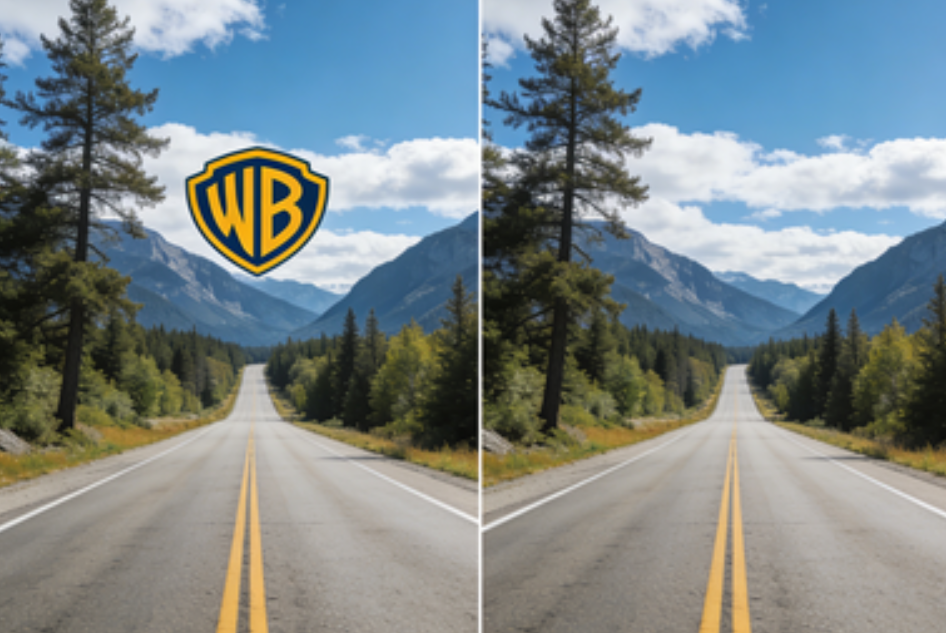
Photo Watermark Removers Used for Video Frames
Sometimes a video logo is hard to remove automatically. In those cases, editors export problem frames as images, clean them, and place them back into the video.
Tools like Gstory video watermark remover are designed for image watermark removal and can be very effective when you need to fix specific frames with high accuracy.
This hybrid method is especially useful when a logo overlaps complex textures.
How to Remove a Logo from Video: 3 Proven Methods
Method 1: Crop or Cover the Logo (Fastest Option)
This is the simplest method.
Steps
- Open the video in a basic editor
- Crop the edges if the logo is placed near a corner
- If cropping removes too much, place a blur or solid overlay over the logo
Best for
- Logos placed at the edge
- Social media clips
- Quick fixes
Limitations
- Reduces video size
- Does not work well for center logos
Method 2: Manual Masking and Tracking (Most Control)
This method uses masking tools.
Steps
- Draw a mask around the logo
- Track the mask if the camera moves
- Use fill or clone tools to rebuild the background
- Adjust feathering to blend edges
Best for
- Small logos
- Simple backgrounds
- Short video segments
Limitations
- Time-consuming
- Requires editing skills
Method 3: AI Logo Remover from Video (Most Popular)
AI tools automatically analyze each frame and rebuild the missing area.
Steps
- Upload your video
- Select the logo area
- Let the AI process the video
- Preview and download the result
Best for
- Moving logos
- Semi-transparent watermarks
- Beginners
Limitations
- Results depend on video quality
- Some tools limit free usage
Handling Moving Logos and Complex Backgrounds
Moving logos are more difficult to remove. Here are proven tips:
- Use tools that support motion tracking
- Select the logo area across multiple frames
- Increase processing quality if available
- Stabilize shaky footage before removal
If the logo overlaps detailed textures like grass or text, AI may struggle. In these cases, exporting a few frames and fixing them with an image watermark remover before reinserting them into the video often produces the cleanest result.
How to Keep Video Quality High After Logo Removal
Many users worry that removing a logo will damage video quality. Follow these tips to avoid that:
- Always start with the highest resolution video
- Avoid exporting multiple times
- Use soft edges when masking
- Test a short clip before processing the full video
AI tools work best when there are enough pixels to rebuild the missing area.

Is It Legal to Remove a Logo from a Video
This is one of the most important questions.
You can remove a logo if:
- You own the video
- You have written permission from the owner
- The video license allows editing
You should not remove a logo if:
- The video belongs to someone else
- The watermark shows ownership
- You plan to use the content commercially without permission
Removing logos to hide authorship can violate copyright law and platform rules. Always check the source of the video before editing.
Common Mistakes to Avoid
- Removing logos from copyrighted videos without permission
- Using extreme blur that draws more attention
- Over-compressing the video after editing
- Trusting low-quality AI tools without testing
Avoiding these mistakes saves time and protects you legally.
Frequently Asked Questions
Can I remove a logo from video for free
Yes. Many tools offer free trials or limited free exports. Free versions may add limits on resolution or duration.
Will AI logo removal look natural
In most cases, yes. AI tools can produce clean results, especially when the background is simple or repeated across frames.
What if the logo is in the center of the video
AI tools or manual masking are required. Cropping usually does not work in this case.
Is removing a watermark always illegal
No. It is legal when you own the video or have permission. It is illegal when used to steal or misrepresent content.
Who Should Use a Logo Remover from Video
- Content creators cleaning their own footage
- Teachers preparing educational materials
- Businesses updating branded videos
- Individuals restoring old personal clips
If you fall into one of these categories and have the rights to edit the video, logo removal tools can save a lot of time.
Final Thoughts
Using a logo remover from video is no longer complicated. With AI tools, even beginners can remove logos in minutes. The key is choosing the right method, respecting copyright rules, and testing before exporting final results.
If you need fast results, AI video logo removers are the best option. If you need perfect accuracy on specific frames, combining video tools with an image watermark remover like GStory can deliver cleaner results.
When used responsibly, these tools help you create clean, professional-looking videos without unnecessary distractions.
Leave a Reply