Last Updated on December 4, 2025 by gaojie
Cropping a video used to be something only professional editors did inside complicated software. Today, everything has changed. With the rise of mobile-first content and short-form platforms, the ability to crop a video online has become a basic skill that anyone—from students to marketers—needs.
If you have ever tried to repurpose a YouTube video into a TikTok clip, adjust a horizontal video for Instagram Stories, or remove unwanted background space, then you already know why cropping matters. The challenge is simple: every platform prefers a different video size. And if your video does not fit the correct format, you instantly lose impact and reach.
This guide breaks down everything you need to know about online video crop in 2025. It is written in a simple, clear style so even beginners can follow. You’ll also learn how AI tools like ai clip generator can speed up your workflow and help you reframe videos automatically.
Why Online Video Crop Matters in 2025
Short-form video has become the global default. Whether you’re promoting a brand, teaching online, or sharing daily moments, your content must fit the screen your audience uses. That’s where cropping comes in.
The rise of short-form content
TikTok, Instagram Reels, and YouTube Shorts together dominate billions of daily views. These platforms prefer full-screen vertical formats, which makes horizontal videos look small and unappealing. Creators who adapt their content to fit these new formats see better retention and engagement.
Why resizing is essential for social media
Each platform uses different aspect ratios:
- TikTok → 9:16
- Reels → 9:16
- YouTube Shorts → 9:16
- Instagram Feed → 1:1 or 4:5
- YouTube long-form → 16:9
Cropping ensures your video fits perfectly instead of being surrounded by black bars or awkward empty space.
The shift from desktop editors to browser tools
In 2025, users increasingly prefer browser-based video tools because:
- They require no downloads
- They load on any device
- They support popular formats automatically
- They are faster and simpler than traditional editing software
As a result, searching for “online video crop” has become a common first step for anyone editing videos.
What “Online Video Crop” Actually Means
Many beginners assume cropping is the same as resizing, but the two are completely different.
Cropping vs resizing vs reframing
- Cropping removes the outer parts of a video to focus on a subject.
- Resizing changes the video’s dimensions without cutting anything.
- Reframing adjusts the subject’s position inside a new aspect ratio.
AI tools like gstory.ai/ai-clip-generator combine all three by automatically finding the key subject and keeping it centered inside the new frame.
When you should crop
Cropping is ideal when:
- You want to convert horizontal videos to vertical format
- You need to remove empty space or distractions
- You want to highlight a specific person or object
- You’re preparing content for multiple platforms
When cropping is NOT the right solution
Cropping does not help when:
- The subject is too close to the frame edge
- Key text or graphics may be cut off
- The video becomes blurry due to heavy zoom
In such cases, reframing or AI motion tracking works better.
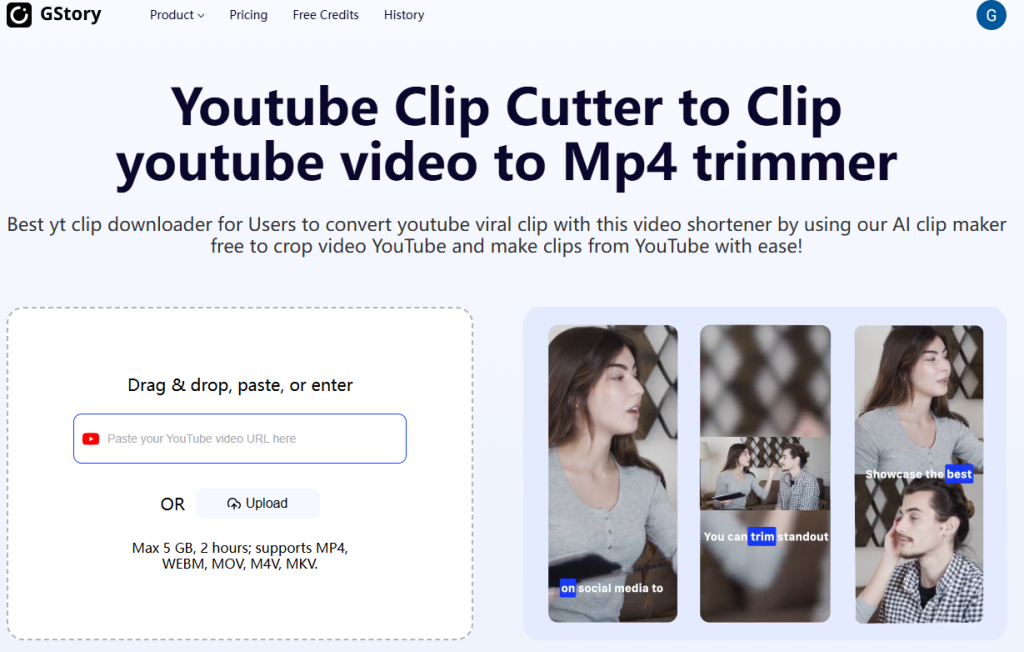
How to Crop a Video Online (Step-By-Step)
These steps apply to most online editors, and the workflow remains very similar across platforms.
Step 1 — Upload your video
Most tools support MP4, MOV, AVI, and WebM. Drag and drop is the easiest method. If your video is long, allow time for processing.
Step 2 — Choose the right aspect ratio
Popular presets include:
- 16:9 (YouTube)
- 9:16 (TikTok/Reels/Shorts)
- 1:1 (Instagram)
- 4:5 (Instagram Feed)
- 21:9 (Cinematic)
Step 3 — Adjust the cropping frame
Move the crop box until:
- The subject stays centered
- No important text is cut
- The framing feels balanced
If you’re using gstory.ai, this step can be automated. The tool tracks the person across scenes and keeps them inside the frame even when they move.
Step 4 — Preview before exporting
Always preview to ensure:
- No motion jumps
- No heads or hands get cut off
- The framing remains consistent throughout the clip
Step 5 — Export and download
Choose your preferred resolution:
- 720p for social media
- 1080p for higher clarity
- 4K for premium content
Best Use Cases for Online Video Crop
Cropping is more than a technical step—it is a storytelling tool.
TikTok, Reels, and Shorts creators
These formats demand strong vertical presence. Cropping helps turn wide videos into high-impact clips that fill the entire screen.
Businesses & ads
Advertisements perform better when the subject appears large and centered. Cropping is often the quickest way to refocus attention.
Educators & tutorial creators
Online teachers frequently repurpose long video lessons into short clips. Cropping allows them to focus on diagrams, faces, or key points.
Everyday users
From family videos to travel clips, online cropping helps anyone enhance their personal content without professional skills.
Platform-Specific Crop Sizes (Updated 2025)
Below is a simplified guide to the most relevant sizes today.
TikTok
- 9:16
- Ideal resolution: 1080 × 1920
Instagram Reels
- 9:16
- Safe zone needed to avoid UI overlays
YouTube Shorts
- 9:16
- Auto-loop friendly
Instagram Feed
- Square (1:1)
- Portrait (4:5)
- 1:1 or 4:5 for maximum visibility
Twitter/X
- 16:9 recommended
- Mobile-friendly portrait options gaining traction
Common Video Cropping Mistakes to Avoid
A good crop can improve your content. A bad crop can ruin it instantly.
Cutting off text or faces
Never let captions or heads touch the edge of the frame.
Cropping too tight
Leave enough breathing room around the subject.
Wrong ratio selection
Posting a 16:9 video to TikTok results in automatic black bars.
Over-compression
Repeated exporting reduces quality—use as few conversions as possible.
Forgetting about motion
If your subject moves too much, an AI reframing tool is safer than manual cropping.
AI-Powered Video Cropping: The 2025 Breakthrough
AI is transforming how creators crop and reformat videos.
Auto reframing
AI identifies the main subject and keeps them centered in a new aspect ratio.
Auto subject tracking
Instead of manually adjusting the frame, AI follows people across scenes—even in dynamic footage.
Scene detection
AI recognizes different scenes and applies smart cropping automatically.
Why tools like gstory speed up editing
The AI Clip Generator can:
- Detect the main speaker
- Track motion
- Reframe automatically into vertical, square, or wide formats
- Generate multiple versions for different social platforms
For creators who post across several platforms, this saves hours of manual editing.
A Complete Workflow for Repurposing Videos Using Cropping
Here is a practical workflow anyone can follow.
Step 1 — Start with your long-form video
This could be a YouTube video, podcast, webinar, product review, or tutorial.
Step 2 — Identify highlight moments
AI tools can auto-detect engaging segments, or you can mark them manually.
Step 3 — Crop for format
Create versions for:
- TikTok/Reels (9:16)
- Instagram Feed (1:1)
- YouTube Shorts (9:16)
- Twitter/X (16:9)
Step 4 — Add captions
Most social media users watch with the sound off.
Step 5 — Export in batches
Tools like gstory.ai/ai-clip-generator allow batch processing so you can prepare multiple exports in a single workflow.
FAQ About Online Video Crop
Does cropping reduce quality?
Only if magnification is too high or if the exported video has low resolution.
Can you crop without losing important content?
Yes. Smart reframing ensures the subject remains visible.
What’s the best tool for beginners?
Most users prefer simple browser tools with presets. AI tools are ideal for those who want automation.
What’s the fastest workflow for social media?
AI-assisted cropping + automatic reframing + batch export.
Final Thoughts: Why Cropping Is Now a Core Skill for Modern Creators
Cropping videos online is no longer a niche skill. It is a fundamental part of creating content that people actually watch. With attention spans shrinking and more platforms competing for viewers, your visuals must fit perfectly on every screen.
The combination of simple online editors and AI-powered tools—especially solutions like ai clip generator—means anyone can produce polished, platform-ready videos in minutes. Whether you’re a creator, marketer, teacher, or casual user, learning how to crop videos online will make your content clearer, stronger, and more shareable in 2025 and beyond.
Leave a Reply