
Last Updated on January 30, 2026 by gaojie
Pinterest is a goldmine of creative inspiration—but what happens when you find the perfect video for your next project and can’t download it? Broken download buttons, permission errors, and watermarked videos turn a simple task into hours of trial and error.
This comprehensive Pinterest video downloader guide covers every working method to download Pinterest videos in HD. Whether you need to save a single video or bulk download entire boards, you’ll find a reliable Pinterest video downloader solution here—tested for January 2026.
Why Content Creators Need Pinterest Video Downloads
Pinterest’s algorithm excels at surfacing niche, aesthetic content that aligns with specific creative visions. Unlike Instagram or TikTok where trending content dominates, Pinterest delivers curated visuals based on your interests.
Key Use Cases
Personal inspiration archives: Save videos that capture a specific aesthetic for future reference. Having content offline means no lost inspiration.
Mood boards and creative direction: Downloaded videos help establish visual tone for client projects. Share references without requiring everyone to have Pinterest access.
Reference material: Study editing techniques, transitions, or color grading from videos you admire. Offline access allows frame-by-frame analysis.
How to Download Pinterest Videos (Quick Method)
Need a video saved in under 60 seconds? Here’s the fastest Pinterest video downloader method.
Copy the Pinterest Video Link
On mobile: Tap the video, then tap the three-dot menu (⋯) and select Copy link.
On desktop: Click the video to open the Pin detail view, click Share, and select Copy link.
Important: Copy from the Pin detail page, not the feed view—feed links often cause errors.
Use an Online Pinterest Video Downloader
Open one of these reliable online downloaders:
- PinDown.io – Best for quality options (up to 4K)
- GetInDevice – Clean interface, comprehensive format support
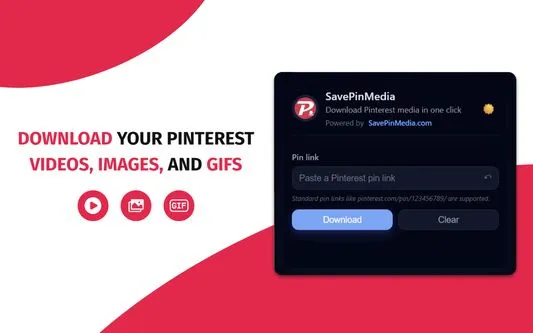
- SavePinMedia – Multi-language support
Paste your Pinterest URL and click download. Select your preferred quality (720p, 1080p, or 4K when available) and save.
Pro Tip: Pinterest videos rarely exceed 1080p at source. If a tool claims 4K, it may be upscaling.
Best Pinterest Video Downloaders Compared
Different Pinterest video downloader tools serve different needs.
Online Web Tools
| Tool | Pros | Cons | Best For |
| PinDown.io | Multiple quality options, MP3 extraction | Occasional ads | Quality-focused downloads |
| GetInDevice | No watermarks, comprehensive formats | Busy interface | Format flexibility |
| SavePinMedia | Multi-language, simple process | Fewer quality options | International users |
Reliability note: Online tools occasionally break when Pinterest updates its API. If one fails, try another.
Browser Extensions
Pin Toolbox (Chrome): Select specific items to save, downloads as ZIP. Free tier: 15 items per session.
Pinterest Pin and Board Downloader (Chrome): Higher free limit (50 items), bulk board downloads.
Warning: Chrome extensions have become unreliable after Pinterest’s 2025 API changes. Test before relying on them.
Desktop Software
wfdownloader (Free): Most recommended Pinterest video downloader in Reddit communities. Handles entire boards and accounts. Users report downloading over a million pins successfully.
JDownloader 2 (Free): Universal download manager. Works quickly for Pinterest with large board support.
VideoProc Converter AI (Paid): Professional-grade with AI upscaling for highest quality output.

How to Bulk Download Pinterest Boards
Single video downloads are straightforward—but saving 500+ pins requires a dedicated Pinterest video downloader approach.
Using wfdownloader
- Download wfdownloader from the official source
- Paste your Pinterest board URL
- Select download options (images, videos, or both)
- Click Start
Key features: Download specific board sections, entire user accounts, and update previously downloaded boards. No Pinterest login required.
Download Pinterest Videos on Any Device
iPhone/iOS
- Open Pinterest in Safari (not the app)
- Copy the pin URL
- Open PinDown.io in Safari
- Paste URL and download
- Save to Files or Photos
Troubleshooting: If download option is missing, update the Pinterest app. For “Blob URL” errors, open the pin directly.
Android
- Copy video link from Pinterest app
- Open Chrome and navigate to an online Pinterest video downloader
- Paste URL and download
If apps show “URL not found”: Clear app cache, try a different tool, or use gallery-dl via Termux.
Desktop (PC/Mac)
Quick downloads: Use browser-based tools directly.
Bulk downloads: Install wfdownloader or JDownloader 2.
Post-Download Workflow: Making Videos Content-Ready
Downloaded video often needs processing before it’s usable.
Removing Watermarks
Many Pinterest videos are reposts from TikTok with watermarks—TikTok logos, creator handles, or platform branding.
GStory.ai Video Watermark Remover handles this efficiently:
- Browser-based—no software installation
- Supports videos up to 5GB and 2 hours
- AI-powered removal without blur artifacts
Simply upload your video, mark the watermark area with the brush tool, and download your clean file.
Enhancing Video Quality
Pinterest compresses uploaded content. For videos with compression artifacts or low resolution, consider AI upscaling tools like VideoProc Converter AI or Topaz Video AI.
Troubleshooting Common Pinterest Video Downloader Issues
“URL Not Found” Errors
Causes: Incorrect URL format, deleted pin, private content, or API changes.
Solutions: Verify the URL opens in a browser, copy from pin detail page (not feed), try a different Pinterest video downloader tool.
“Permission Required” Blocks
Some creators have enabled permission requirements. Workarounds: Try Telegram bots, contact the creator, or find the original source on TikTok.
Low Quality Downloads
Always select the highest available quality. Check source quality before downloading—some Pinterest videos are inherently low-res. Use AI upscaling for critical projects.
Is It Safe and Legal?
Safety
Official Pinterest downloads are safe. For third-party tools:
- Stick to well-reviewed Pinterest video downloader options
- Browser-based tools (no installation) are generally safer
- Avoid tools requesting excessive permissions
Copyright Guidelines
Acceptable uses: Personal inspiration, internal mood boards, educational commentary with attribution.
Seek permission for: Commercial use, public reposting, monetizing others’ work.
FAQs
Can I download Pinterest videos without an app?
Yes. Online web tools like PinDown.io work directly in your browser. This Pinterest video downloader approach is more reliable than most apps in 2026.
Why does my Pinterest download have a watermark?
Many Pinterest videos are TikTok reposts. Remove watermarks using GStory.ai Video Watermark Remover.
What’s the best Pinterest video downloader for bulk downloads?
wfdownloader is the most recommended free tool for large collections. For smaller batches, browser extensions work well.
What video quality can I get?
Pinterest typically offers up to 1080p. Actual quality depends on the original upload.
Conclusion
Downloading Pinterest videos doesn’t have to be frustrating. For quick downloads, browser-based tools like PinDown.io get the job done in under a minute. For bulk operations, wfdownloader handles entire boards effortlessly. And for post-download cleanup, AI tools like GStory.ai remove watermarks so your downloads become usable assets.
Your next step: Bookmark this Pinterest video downloader guide, test the tools that fit your workflow, and remember—clean processing transforms inspiration into content-ready assets.
Leave a Reply