Last Updated on April 9, 2026 by gaojie
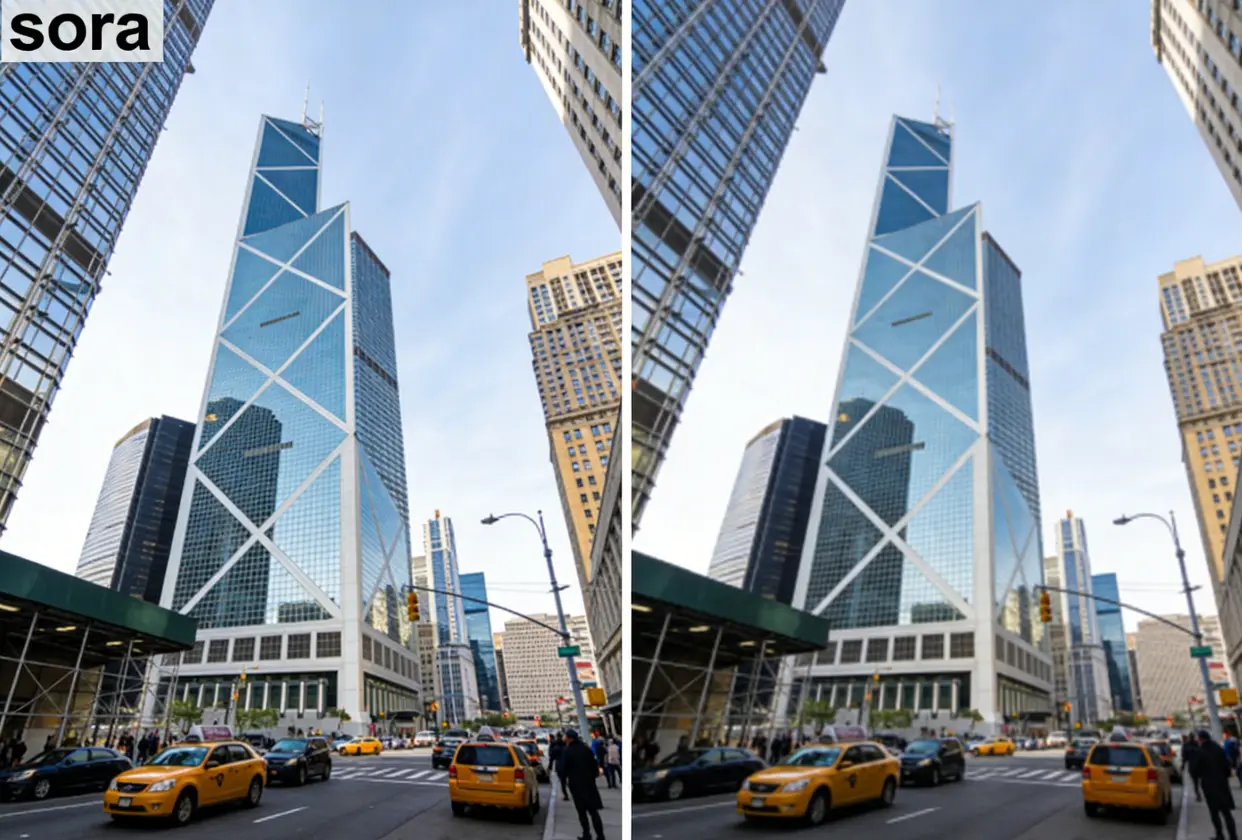
You just generated the perfect Sora 2 video — and then you notice it. That cloud logo in the corner, plus your username stamped across the frame. Every free remover you’ve tried either leaves a blurry smudge, caps you at two videos per day, or vanished overnight.
Sora 2 watermarks aren’t simple overlays. They’re composited directly into every frame, making clean removal genuinely difficult. We tested 15+ tools and methods — from free browser tools to open-source AI workflows — so you can skip the guesswork and find what actually works today.
Understanding the Sora 2 Watermark
What the Sora 2 Watermark Looks Like (Cloud Logo + Username)
Every Sora 2 video carries two visible watermark elements: OpenAI’s cloud logo (typically bottom-right) and your account username. The username watermark is newer and surprises many creators — especially professionals who don’t want their personal handle tied to AI-generated content.
Why OpenAI Adds Watermarks to Sora Videos
OpenAI embeds watermarks for AI transparency and responsible disclosure. Since Sora 2 produces remarkably realistic footage, these markers help viewers identify AI-generated content. The watermarks are rendered into every frame during generation — not layered on top afterward — which is why removal is technically challenging.
C2PA Metadata vs. Visible Watermark — What’s the Difference?
Sora 2 includes both visible watermarks and invisible C2PA metadata encoded into the file. Most removal tools only handle the visible marks. The C2PA data typically persists even after visual cleanup, meaning detection tools may still flag your video as AI-generated.
Best Free Online Sora 2 Watermark Removers
Link-Based Removers (Paste Your Sora Share Link)
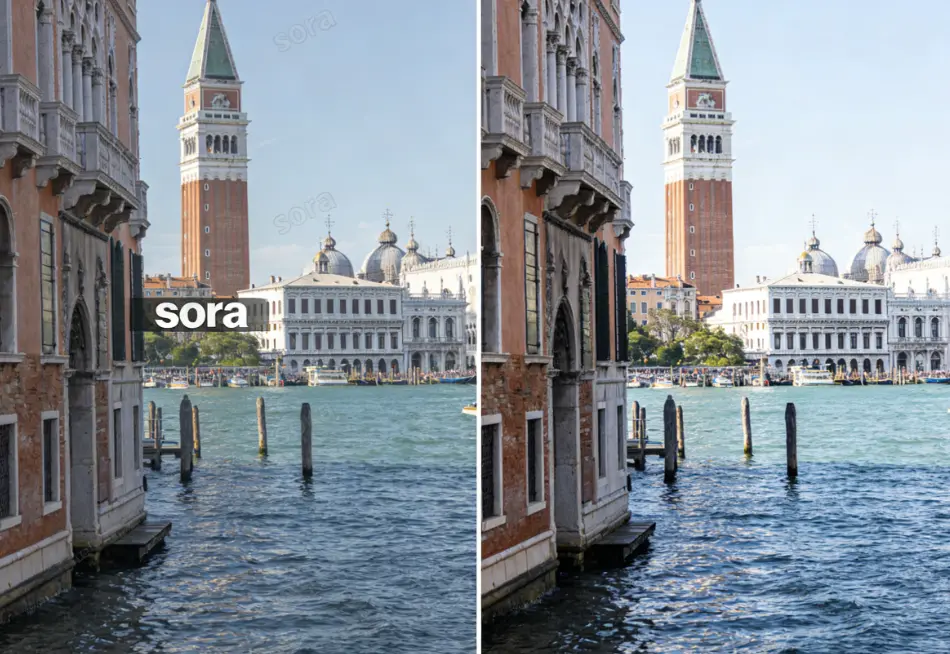
Link-based tools deliver the highest quality because they don’t actually remove anything — they access the original unwatermarked file through the Sora API via your share link.
- removesorawatermark.online — Fast, consistent quality across YouTube and Reddit reviews
- kontenai.net — Truly unlimited free downloads with responsive developer support
- bylo.ai — Simple three-step process, sharp HD output
Key Takeaway: Link-based removers bypass the watermark entirely rather than reconstructing pixels, producing zero quality loss.
Upload-Based Removers (Upload Your MP4 File)
When you lack a share link, upload-based tools use AI inpainting to reconstruct the watermarked area:
- MagicEraser.org — Most consistently recommended; no login required
- sorawatermarkremoverapp.com — Repeatedly cited as “the one that still works” through API changes
- ReelMoney — 10 free videos per day; supports MP4, MOV, WebM, AVI
- Media.io — Tracks moving watermarks; cross-platform support
These tools work with any video file, but AI reconstruction can leave subtle artifacts on complex or moving backgrounds.
Using AI Image to Video’s Watermark Remover for Clean Results
GStory.ai’s Video Watermark Remover provides a dependable browser-based option supporting large files and multiple formats. Its AI analyzes surrounding frames for seamless removal, with a brush tool for precise area selection. No downloads needed — it runs on any OS via browser with free credits to start.
Side-by-Side Comparison Table
| Tool | Method | Free Tier | Quality | Working (Apr 2026) |
| removesorawatermark.online | Link | Daily limit | ★★★★★ | ✅ |
| kontenai.net | Link | Unlimited | ★★★★★ | ✅ |
| bylo.ai | Link | Free | ★★★★☆ | ✅ |
| MagicEraser.org | Upload | Free (limits) | ★★★★☆ | ✅ |
| sorawatermarkremoverapp.com | Upload | Free tier | ★★★★☆ | ✅ |
| ReelMoney | Upload | 10/day | ★★★★☆ | ✅ |
AI-Powered Inpainting Methods for Best Quality
How AI Inpainting Removes Watermarks Frame by Frame
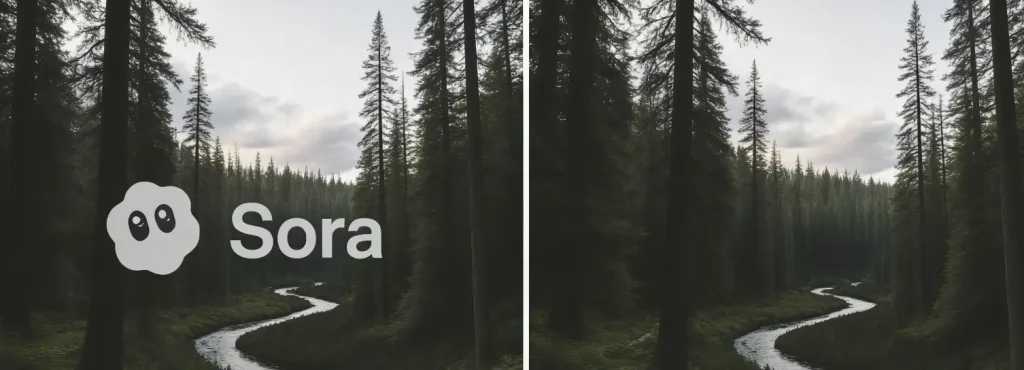
AI inpainting predicts what should appear behind the watermark by analyzing surrounding pixels and motion patterns across frames. Static backgrounds produce near-flawless results. Moving backgrounds require more guesswork, which is where ghosting and blur artifacts appear.
ComfyUI with DiffuseEraser (Open Source, Best Quality)
The community gold standard. The DiffuseEraser node with SAM2 auto-segmentation in ComfyUI delivers the cleanest results in testing. Requirements: 8GB VRAM, ComfyUI installed locally, and the Realistic Vision v5.1 checkpoint. Not beginner-friendly, but the payoff is complete privacy, zero usage limits, and top-tier output quality.
Paid AI Inpainting Services (WaveSpeedAI, Sorry Watermark)
For professional workflows needing consistency at scale:
- WaveSpeedAI — $0.05 per 5 seconds; API access for automation
- Sorry Watermark — Premium quality and reliability; coupon LITE50 for 50% off
Manual & Desktop Methods
Cropping in CapCut or DaVinci Resolve
The quickest fix: crop out the edges where watermarks sit. You lose content and may get an awkward aspect ratio, but it takes seconds. Best when the watermark sits in a non-essential corner.
Manual Cleanup with After Effects or Premiere Pro
Frame-by-frame removal using clone stamp or content-aware fill gives complete control. Time-intensive, but worthwhile for short clips or high-value professional projects.
Screen Recording Workaround
Record the video during playback as a last resort. You’ll lose resolution and may get frame drops, but it works for casual use when nothing else does.
Generate Sora Videos Without Watermarks (Prevention Methods)
Using Third-Party Platforms with Sora API Access
ChatLLM by Abacus AI ($10/month) provides Sora 2 generation without watermarks. Geographic availability varies, but for regular Sora creators, this eliminates the removal step entirely.
Alternative AI Video Generators (Kling, Veo, Wan)
Kling, Google’s Veo, and Wan offer fewer or no visible watermarks. If you’re flexible on platforms, switching generators may be more practical than spending time on post-production removal.
Quality Comparison: Which Method Preserves Video Quality Best?
Static vs. Moving Background Results
Watermarks on static backgrounds are far easier to remove cleanly. Moving scenes force more AI guesswork, producing more artifacts. Choose your removal method based on your video’s background complexity.
Method Ranking by Output Quality
- Link-based removers — Original file, zero quality loss
- Local AI inpainting (ComfyUI) — Near-perfect reconstruction
- Paid professional tools — High consistency
- Browser-based AI removers — Good on static backgrounds, variable on motion
- Cropping — No quality loss but loses content
- Screen recording — Lowest quality overall
Does Sora Pro Remove Watermarks? What You Get for $199/Month
What Pro Actually Offers vs. User Expectations
Sora Pro removes watermarks only for text-only prompts. Content involving copyrighted material or celebrity likenesses still gets watermarked. Multiple Reddit users report paying $199/month expecting fully clean output — only to find watermarks persist on many of their generations.
When You Still Need a Third-Party Remover Even With Pro
Any generation involving image-to-video, reference images of recognizable people, or content triggering safety filters still carries watermarks. The tools in this guide remain essential even for Pro subscribers.
Legal Considerations for Removing AI Watermarks
DMCA Section 1202 and Copyright Management Information
Under U.S. law, removing copyright management information carries penalties of $2,500–$25,000 per violation. However, how this applies to AI-generated content watermarks remains a legal gray area, since AI watermarks serve different purposes than traditional copyright marks.
AI Content Disclosure Requirements
Several platforms now require AI-generated content labeling. Removing a visible watermark doesn’t eliminate your disclosure obligation where rules require it. The embedded C2PA metadata may still identify your content as AI-generated.
When Watermark Removal Is Acceptable
Removal is generally considered acceptable for personal use, content you generated yourself, and transformative works where you hold commercial rights — provided you comply with applicable disclosure requirements.
FAQs About Removing the Sora 2 Logo
Does Sora Pro remove watermarks from all videos?
No. Pro only removes watermarks from text-only prompt generations. Copyrighted content, celebrity likenesses, and flagged material still get watermarked.
Can I remove the username watermark separately from the cloud logo?
Yes. Upload-based tools with brush selection let you target each watermark element independently.
Which free Sora 2 watermark remover is fastest?
kontenai.net consistently performs best — link-based, unlimited, and fast processing.
Why do free watermark removal tools keep going offline?
GPU processing costs are high, and tools depend on Sora’s API which OpenAI periodically updates. When the API changes, tools break. Many developers can’t sustain infrastructure costs long-term.
Is watermark removal permanent or can the watermark be recovered?
Visual removal via inpainting is permanent. However, C2PA metadata may persist in the file and can still flag the content as AI-generated.
Are there mobile apps for removing Sora 2 watermarks?
CapCut offers mobile AI object removal that handles watermarks. Most other reliable tools are browser-based and work on mobile browsers without dedicated apps.
Will removing the watermark affect my video’s resolution?
Link-based removers preserve full quality. AI inpainting maintains resolution but may introduce subtle artifacts. Cropping reduces effective resolution. Screen recording drops both resolution and frame rate.
Conclusion
Your best approach depends on your priorities. For top quality, use link-based removers like kontenai.net or removesorawatermark.online to pull the original unwatermarked file. For uploaded videos, browser tools like MagicEraser.org or GStory.ai’s Video Watermark Remover handle the job with minimal effort.
Power users can achieve near-perfect results with ComfyUI’s DiffuseEraser workflow. And to skip removal entirely, platforms like ChatLLM generate Sora 2 videos without watermarks from the start.
The landscape shifts fast — keep your favorite tools bookmarked and alternatives ready for the next API update.
Leave a Reply