Last Updated on December 3, 2025 by
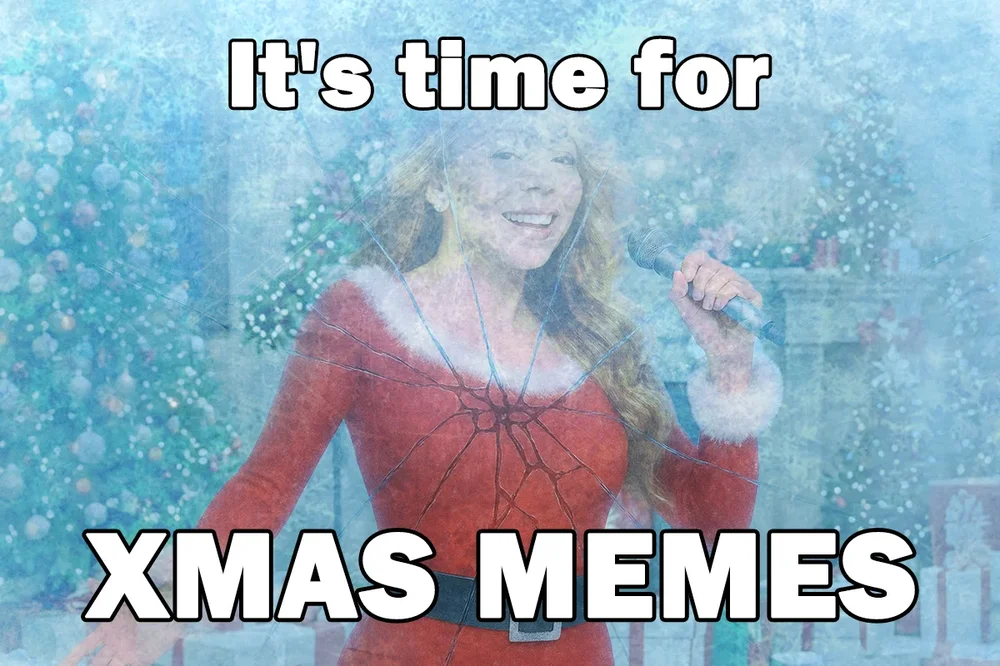
The holiday season has a sound—not just sleigh bells or crackling fireplaces, but also the steady ping of phone notifications. In the past, people mailed handwritten Christmas cards. Today, we share Christmas Memes. Whether it’s a cat tangled in fairy lights or a joke about eating too many cookies, Christmas Memes have become the modern language of holiday cheer. They’re quick, funny, and instantly relatable.
And here’s a little secret designers don’t always tell you: you don’t need artistic skill or expensive software to create one. With simple online tools and the help of AI, anyone can turn a funny idea into a shareable meme in minutes. If you’ve ever wanted to make your own viral holiday moment, this guide walks you through everything—from easy tools to winning Christmas Memes formulas.
Why Christmas Memes Work Better Than a Simple “Merry Christmas”
Before we jump into creation tools, let’s understand why memes are so effective.
A plain text message is fine, but a meme captures a feeling. It connects instantly because:
It’s relatable.
A meme can express holiday stress, excitement, or food-induced exhaustion in a single image.
It’s visual.
Our brains react to images much faster than text. A funny picture grabs attention immediately.
It sparks conversation.
A good meme gets shared, commented on, and laughed at—something simple text rarely does.
If your goal is to bond with friends or bring humor into a work chat, a meme is the quickest shortcut.
Choose Your Meme-Making Style
Instead of listing random websites, it’s easier to match each tool to a personality type. Choose the path that feels most like you.
Path A: “The Polished Designer”
Best Tool: Canva
This is for anyone who wants their christmas memes to look polished and visually appealing.
How to do it:
Search:
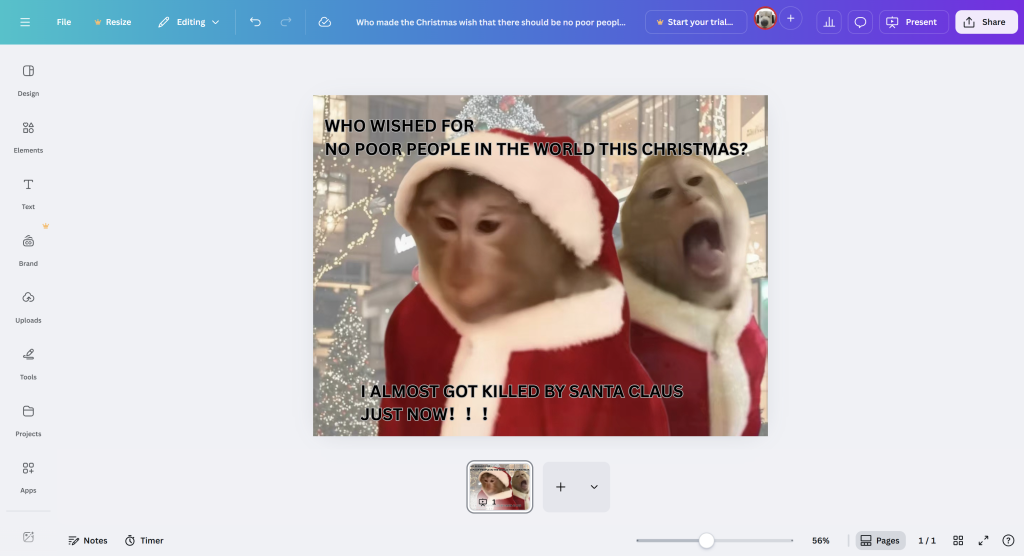
Open Canva and search for “Christmas Meme.” You’ll see a wide collection of festive templates.

Select:
Choose a design with Santas, elves, reindeer, or anything that fits your humor.
Customize:
Erase the preset joke and replace it with your own caption.
Want something more personal? Drag and drop your own photos—your dog, your Christmas tree, anything.
Export:
Click Download. You now have a high-quality meme ready for Instagram, chats, or print.

Path B: “The Quick Jokester”
Best Tool: Imgflip
This is for people who just want to make others laugh—fast.
How to do it:
Find a Template:
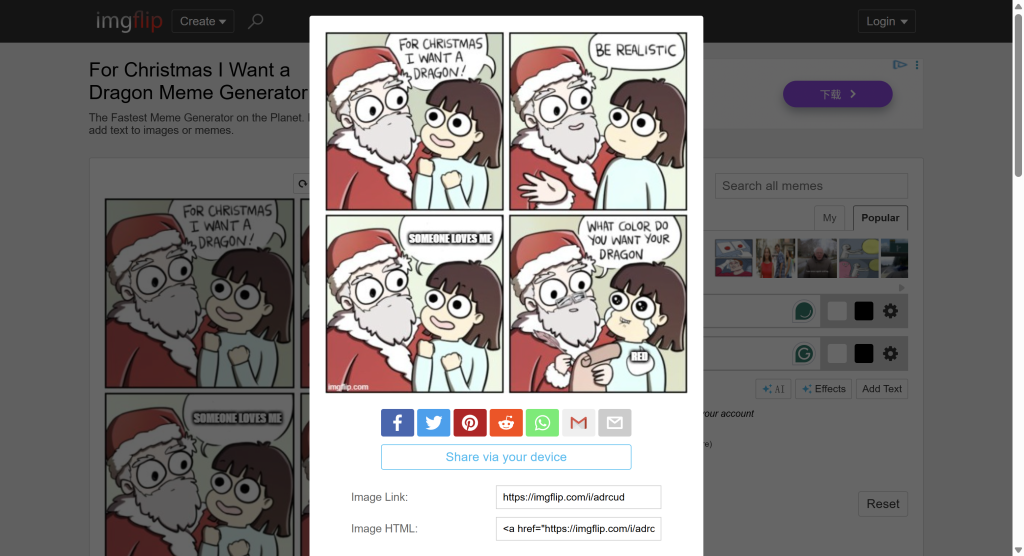
Go to Imgflip and search for Christmas-related formats like “Santa,” “Elf,” or “Christmas Tree.”
Use the Classic Two-Line Formula:
- Top text: set the situation
- Bottom text: deliver the punchline
Generate:
Click “Create” and download. You’ll have a classic internet-style meme in seconds.
Path C: “The AI Visionary”
Best Tool: Microsoft Designer / Bing Image Creator / ChatGPT
This path is for anyone who imagines wild scenes that don’t exist yet—and wants AI to bring them to life.
How to do it:
Imagine:
Think of a funny scenario. For example:
A T-Rex trying to wrap a Christmas present with tiny arms.
Prompt:
Type something descriptive, such as:
“A cute cartoon-style T-Rex struggling to wrap a Christmas gift, looking frustrated, festive background.”

Generate:
Let the AI create your unique image.
After that, simply add text using Canva, Imgflip, or your phone’s editor.
Tips to Make Your Christmas Memes Stand Out
Even with the right tool, a meme is only as good as its joke. Here are some practical tricks to make your holiday memes get more laughs and shares:
1. Keep It Short and Simple
People scroll fast during the holidays. One or two lines are enough. Long captions make the joke hard to read.
2. Use Relatable Moments
Think about things everyone experiences during Christmas: running out of gifts, overeating cookies, tangled lights, or awkward family chats. If people can relate, they’ll laugh.
3. Match Text with Expression
The image should fit the joke. A tired face for exhaustion, an excited face for joy, or an annoyed face for holiday chaos. The contrast makes the meme funny.
4. Add Exaggeration
A little extra drama in the image or text makes memes more memorable. Big eyes, wide smiles, or over-the-top reactions usually get more attention.
5. Play With Pop Culture
Famous movies, songs, or characters can make your meme instantly recognizable. For example, a Santa version of a popular reaction image is easy to understand and share.
6. Use Colors and Fonts Wisely
Bold, readable fonts and bright holiday colors make your meme pop on social media. Classic white text with black outline works in almost any situation.
Conclusion: Humor Is the New Holiday Greeting
The holiday season is about connection, and humor is one of the easiest ways to reach people. With AI tools and beginner-friendly templates, anyone can make a meme—no special talent required. You don’t have to rely on someone else’s jokes anymore. You can create your own moments that your family and friends will remember.
Your next step: Don’t just scroll away. Pick a tool from Part 2, think of something funny that happened today, and turn it into a meme. Send it to someone you love—you’ll brighten their day instantly.
From all of us wishing you a joyful, laughter-filled holiday season: may your days be merry, your memes be hilarious, and your heart be full of love. Merry Christmas and Happy Holidays! 🎄✨
Leave a Reply