Last Updated on December 5, 2025 by Leslie
There’s a very specific moment most creators recognize: you open a video editor, stare at a maze of tracks and waveforms, and suddenly decide folding laundry sounds productive. Traditional editing tools aren’t “bad” — they’re just built around timelines, not language.
Descript AI shows up with a different idea: what if editing sounded like writing?
Instead of treating your recording as a long strip of audio you have to “hunt through,” Descript turns the whole thing into words first — then lets you edit those words to shape the video or podcast. That shift is why people keep bringing it up in creator circles, and why it feels less like “learning an editor” and more like “cleaning up a draft.”
What Descript AI Actually Is
Here’s a clean descript definition you can keep in your head:
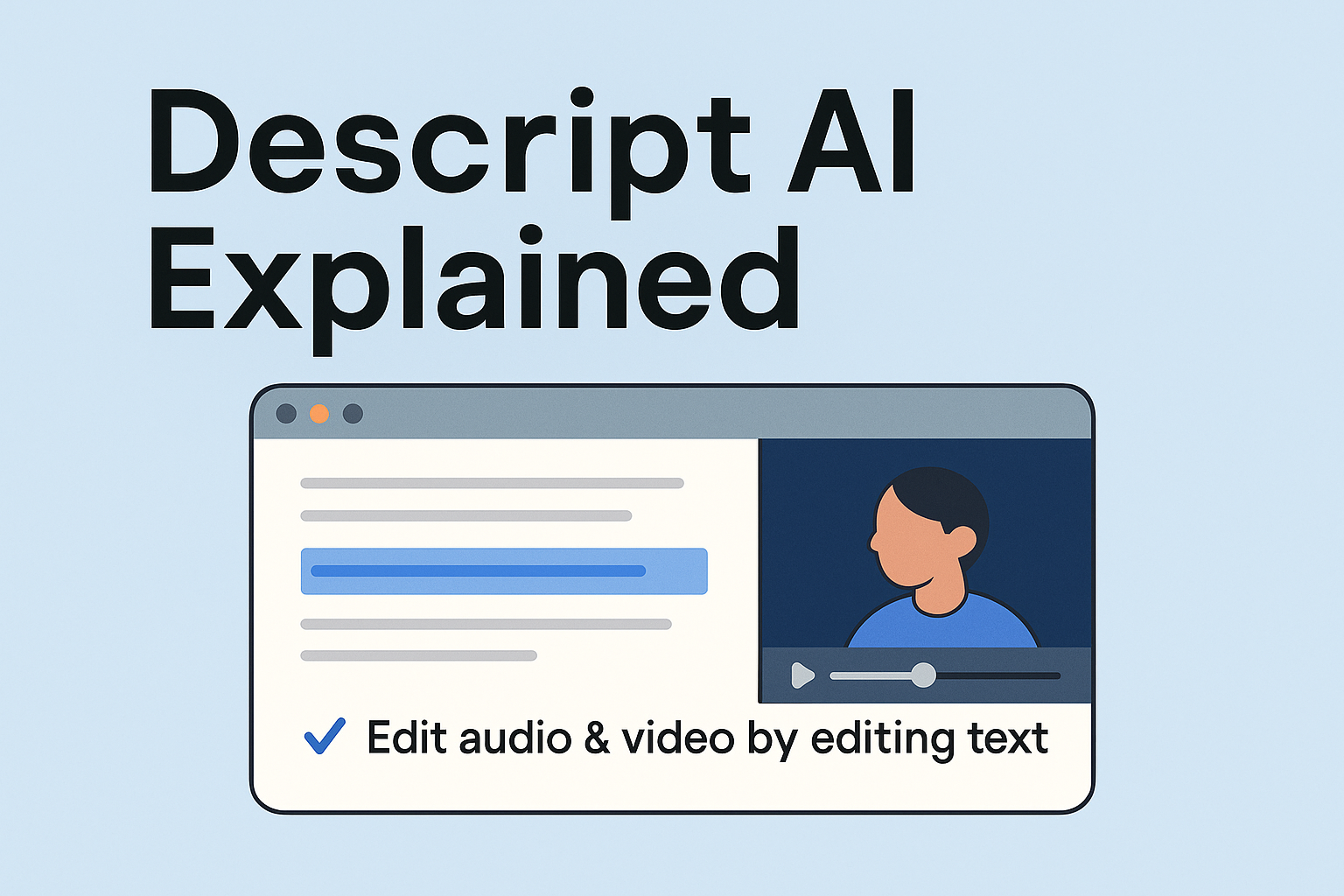
Descript is a text-based audio and video editor that turns recorded speech into a transcript, then lets you edit media by editing the text.
That’s the core. Everything else — captions, clip-making, studio polish, even AI voice tricks — sits on top of that foundation. If you’ve ever wished you could delete a rambling sentence from your podcast the same way you delete a sentence from a Google Doc, Descript is basically that wish made real.
And that’s why Descript AI often clicks fastest for people who already think in scripts: YouTubers who write outlines, podcasters who love show notes, marketers who repurpose webinars, teachers who need lessons to be clean and clear.
The Descript Definition You’ll Really Use
Most tools claim they can transcribe. The reason Descript AI gets repeated recommendations is that transcription isn’t a side feature — it’s the steering wheel.
When you bring in a recording, the platform runs descript transcription and suddenly your messy hour-long conversation becomes something you can skim. And not skim like “drag the playhead and guess.” Skim like reading.
That’s also where descript audio to text quietly changes the workflow:
- You can search your recording like it’s a document (“pricing,” “intro,” “the part where they laugh too much”).
- You can cut fluff by deleting paragraphs.
- You can copy a chunk of text and instantly know where it lives in the timeline.
Creators who’ve never enjoyed editing often describe this as the first editor that feels for them — not for someone who grew up in Premiere shortcuts.
Getting Started: Download Descript and Your First Project
People don’t usually decide to try a new editor because they love installing software. They try it because they’re tired.
Tired of spending two hours cleaning a 20-minute recording. Tired of losing track of where the good parts are. Tired of hearing their own “uh” and “like” echo forever.
So the first step is often exactly what you’d expect: someone types download descript, clicks the official site, installs the app, and hopes it won’t be a whole thing.
Luckily, it rarely is.
The onboarding is pretty gentle: create a project, import a file, let it transcribe. Within minutes, you’re not dragging clips — you’re reading your own words. That’s the moment most people decide whether Descript is “their kind of tool.”
How to Use Descript: A Beginner-Friendly First Edit
New users usually ask a question that sounds like they’re asking permission:
“Okay, but how to use descript without breaking something?”
The answer is thankfully not complicated, and it doesn’t require becoming an editor overnight. A typical first project tends to follow a natural rhythm.
1) Import something real (not a test file)
A podcast episode, a Zoom call, a talking-head video, a screen recording — any piece of work you actually need to finish. Descript makes more sense when the goal is real.
2) Let the transcript appear, then edit like it’s writing
This is where Descript feels different. You’re not “cutting” at first. You’re tightening. Deleting repeated sentences. Fixing awkward phrasing. Removing tangents that sounded fun in the moment but go nowhere.
3) Clean the sound, gently
A lot of beginners overcorrect audio. The best results usually come from light cleanup: remove some background noise, even out volume, keep the voice natural.
4) Pull out shareable moments
Once you can read your content, it becomes easier to find the strongest 15–45 seconds. That’s why Descript AI often becomes a repurposing machine for social clips — not because it’s flashy, but because it makes discovery easier.
5) Add captions or subtitles (and keep it simple)
If your goal is clean captions for social videos, Descript can do that inside the same workflow.
And in some cases — especially when someone needs a quick alternative for caption exporting or separate subtitle workflows — they may also use another tool like GStory’s subtitle generator as a lightweight option, then bring the files back into their edit. It’s not a “better vs worse” thing. It’s just the reality of how people stitch together tools that fit their habits.
What Descript AI Is Best For
It helps to be honest about this. Descript AI isn’t aiming to win every category of editing. It’s aiming to remove the parts that waste your time.
Descript shines when:
- You edit spoken content (podcasts, interviews, tutorials, webinars).
- You want to cut based on meaning, not waveforms.
- You repurpose long recordings into short clips often.
- You prefer writing and revising over “timeline surgery.”
Descript is less ideal when:
- Your edits are mostly visual (montages, heavy effects, fast cut styles).
- You rely on advanced color work or motion graphics.
- You want a pure “social template editor” vibe (some people prefer CapCut for that style).
The win is this: once Descript handles speech editing, many creators spend their “real editor time” only on visuals that truly need it.
Who Descript AI Is For: Creators, Teams, and Use Cases
If your work involves words, Descript tends to feel like relief.
Descript AI is a strong fit for:
- Podcasters who want faster assembly edits and cleaner pacing
- YouTubers filming talking-head content or voiceover scripts
- Course creators and educators editing lessons
- Marketing teams turning webinars into content libraries
- Founders and operators producing product demos and announcements
But someone who mainly makes fast, heavily stylized TikTok edits might not get the same payoff — not because Descript can’t help, but because the value of transcript-led editing is highest when speech is the backbone.
Descript Reviews: What Users Like
When you look through descript reviews, a pattern shows up fast: users don’t praise Descript because it has “features.” They praise it because it saves time in specific, annoying parts of the workflow.
The most common compliments usually sound like:
- “Editing finally feels manageable.”
- “I can cut an episode in a fraction of the time.”
- “Finding the good parts is so much easier.”
The complaints also tend to be consistent:
- Some users mention occasional bugs or hiccups after updates.
- Others feel the app can be resource-heavy on older machines.
- A few people say it takes a minute to understand the new mental model (text-first editing is different if you’re used to timelines).
In other words, descript reviews read like real software reviews: lots of love for what it does uniquely well, plus the normal frustrations that come with an evolving all-in-one tool.
Turn Transcripts into Content: Notes, Blogs, and Clips
Here’s something people don’t always plan for: once you have a transcript, you suddenly have options.
A cleaned transcript can become:
- Show notes
- A blog draft
- A newsletter summary
- A list of quotable social posts
- A searchable archive of your internal knowledge
That’s why teams who care about SEO and content reuse tend to adopt Descript AI quickly. You’re not just editing media — you’re producing raw material.
And because Descript starts with language, it nudges creators to tighten ideas, remove clutter, and sound more confident. It’s an editing tool that subtly acts like a writing tool.
Your First Project: What Results to Expect with Descript AI
It’s tempting to believe a new tool will instantly make content “professional.” Descript doesn’t work like magic — it works like leverage.
A first-time user usually gets the biggest wins from:
- Dropping dead weight sections
- Removing obvious filler words
- Cleaning audio just enough to feel clear
- Adding captions that make the piece easier to watch anywhere
After that, the results depend on taste: pacing, clarity, storytelling, the same things that matter in any editor.
But the reason Descript AI keeps people is that it makes those improvements easier to reach consistently, without requiring someone to become a timeline expert.
Final Take: Why Descript AI Stands Out
A lot of tools promise “AI editing.” Descript AI feels different because it doesn’t just add AI on top of the old workflow — it changes the workflow itself.
Once you understand that the transcript is the edit, everything else starts to feel simpler. And for creators who’ve always thought in words, that can be the difference between “I should edit this someday” and “I can actually publish this today.”
Leave a Reply