Last Updated on November 14, 2025 by gaojie
The world watches videos more than ever before — for learning, entertainment, and communication. But language often becomes a wall between creators and global audiences. That’s where AI-powered video translation steps in. Translating your videos into English helps your message reach millions more viewers and makes your content accessible across cultures.
In this guide, we’ll explore how to translate videos into English naturally using AI tools, understand how they work, and learn what to watch out for along the way. Whether you’re working with Hindi, Spanish, or any other language, you’ll find practical tips to make your translated videos sound fluent and authentic.
Why Translate Your Video into English
English has become the bridge language for the internet. Translating your videos into English means more than just reaching new viewers — it helps people truly understand your story.
- Reach more people: English content can travel farther across YouTube, TikTok, and learning platforms.
- Improve comprehension: Subtitles or English audio help viewers follow along even with different accents or background noise.
- Build trust: English-translated videos look professional and polished, especially for international audiences.
- Preserve your voice: AI tools today can keep your tone and rhythm while changing only the language.
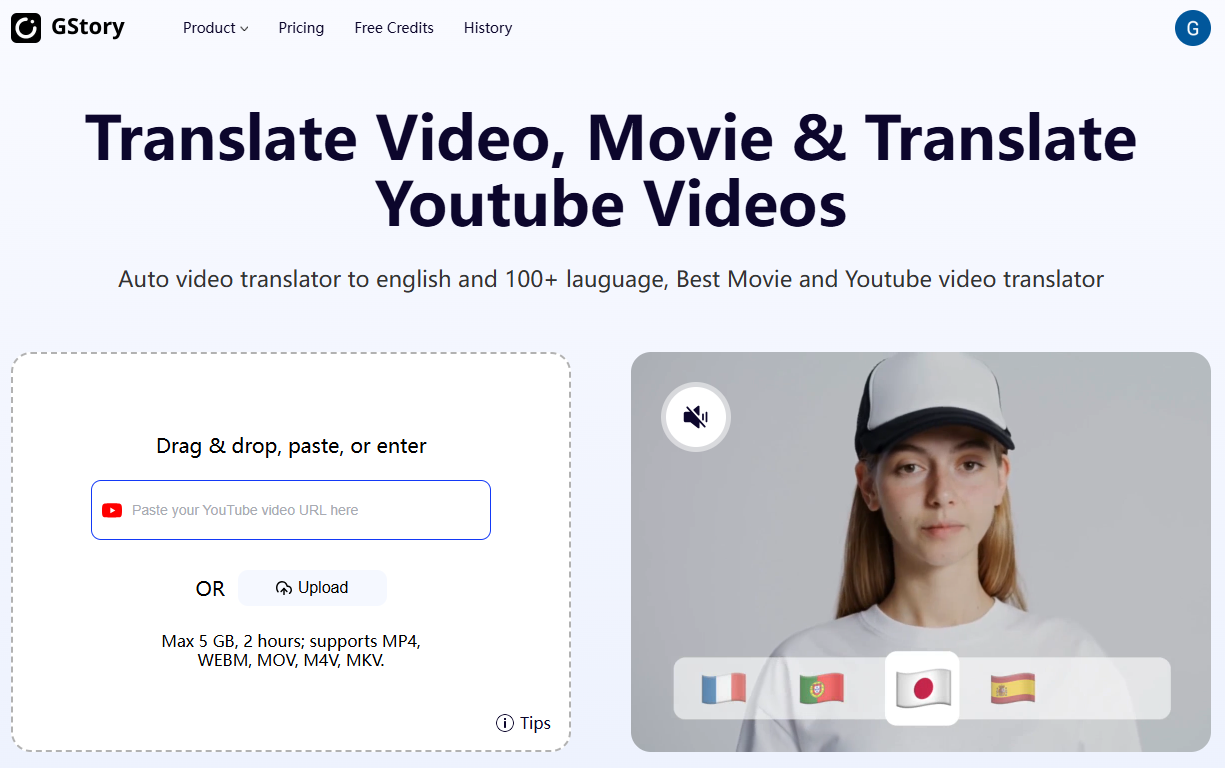
Platforms like GStory Video Translator make this process simple — upload your video, choose your language, and let the AI handle translation, subtitles, and even English dubbing automatically.
Hindi to English Video Translation AI — Turning Local Stories into Global Voices
India’s creators are producing millions of videos every month in Hindi, yet only a small portion of the world can understand them. Hindi to English video translation AI breaks this boundary.
Here’s how it works:
Step 1: Speech Recognition
AI listens to your Hindi audio and converts it into text automatically.
Step 2: Smart Translation
Using advanced neural networks, the AI transforms your Hindi text into fluent English that sounds natural and context-aware.
Step 3: Subtitles and Synchronization
The translated English lines are matched precisely to the original video timing, ensuring subtitles appear in sync.
Step 4: Optional English Voiceover
Some tools, including GStory, can generate an English voice that sounds like yours — complete with tone and pacing — for a seamless viewing experience.
Imagine a Hindi cooking tutorial that’s instantly understandable by viewers in London or New York. That’s the power of AI translation — it gives every creator a global voice.
Translate YouTube Video to English — Step-by-Step for Creators
If you’re uploading videos to YouTube, making them available in English can change everything. Here’s a simple path to follow:
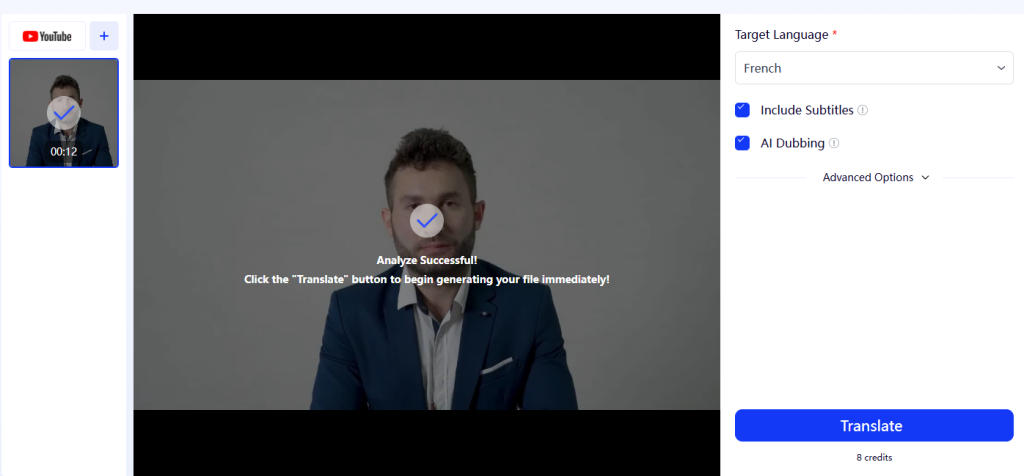
- Copy your video link and paste it into a translation tool like GStory Video Translator.
- The AI automatically detects your original language and starts generating English subtitles.
- Review and edit the translated text to fine-tune names, jokes, or phrases.
- Add an English audio track if you want — some tools can generate natural-sounding AI voices.
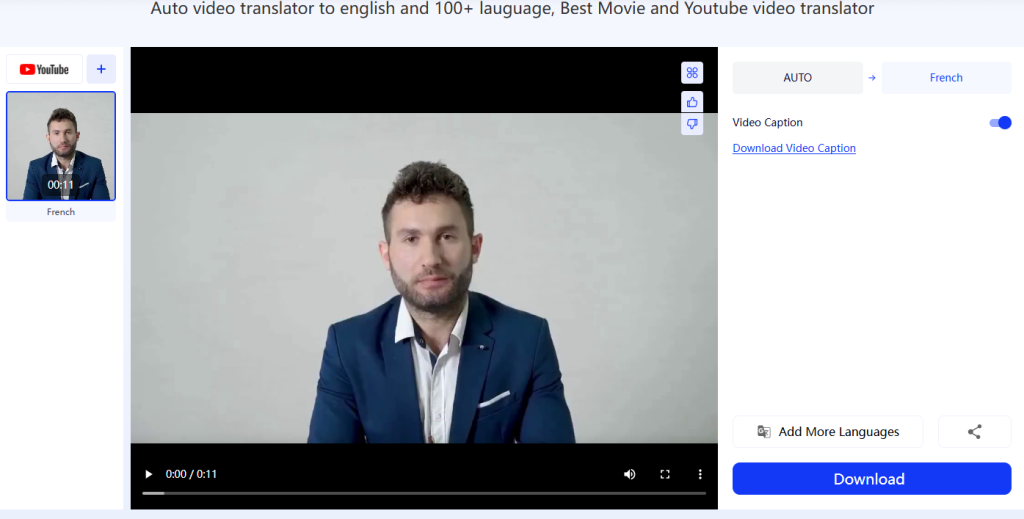
- Export your new version and upload it back to your channel.
You now have one video that speaks to the world. A single upload can be understood by millions more people who prefer or only understand English.
Tip: Keep both the original and English subtitles — bilingual subtitles make learning and engagement stronger.
Translate Video to English Subtitles — A Simple Way to Make Every Viewer Feel Included
You don’t always need to replace your voice. Adding English subtitles is an easy way to make your videos clear and inclusive without losing the original emotion.
English subtitles are especially helpful for:
- Viewers who speak other languages but understand written English
- People with hearing difficulties
- Quiet viewing environments, like workplaces or libraries
With tools like GStory Video Translator, you can automatically generate subtitles in seconds. The AI handles transcription, translation, and timing alignment — no manual syncing required.
Once done, you can export the subtitles as .srt files or burn them directly into the video. It’s fast, accurate, and incredibly helpful for both short clips and long tutorials.
Translate Videos to English — The Smartest Tools Today
If you’re wondering which tools work best to translate videos to English, here are some that stand out:
- GStory Video Translator: Combines transcription, translation, and dubbing into one smooth workflow.
- DeepL Video Beta: Known for natural-sounding translations.
- Kapwing Translate: Great for short-form social videos.
- VEED.io: Perfect for adding quick captions and visual edits.
These tools make video translation easy for beginners and professionals alike — no complex setup, no editing software needed.
Translate Spanish Video to English — Connecting Cultures Effortlessly
Spanish content has exploded worldwide — from education to entertainment. But not everyone can follow the language. Translating Spanish video to English helps connect cultures while preserving authenticity.
AI translation tools can understand idioms and regional slang. For example, the Spanish phrase “¡Qué guay!” means “That’s cool!” rather than “What a guy.”
When working with Spanish videos, check these details:
- Use clear pronunciation when recording — it helps AI detect words accurately.
- Review translations for context; direct word-for-word translations can sound unnatural.
- Make sure subtitles appear in sync — timing matters as much as words.
A travel vlogger from Spain, for instance, can share adventures with English subtitles that make sense to viewers everywhere, from Canada to Singapore.
Translate Video Audio to English — From Sound to Script
Sometimes you don’t have subtitles or a transcript — only the audio. In that case, you can still translate video audio to English easily.
Here’s how:
- Upload your video to an AI translator.
- The tool extracts the audio automatically.
- It transcribes the speech into text.
- Finally, it translates the text into natural English.
You can then download the translated script, generate subtitles, or even create a dubbed version with an English voice.
This process works beautifully for interviews, lectures, and podcasts. You can keep your video’s rhythm while making sure every word is understandable to an English-speaking audience.
Common Mistakes to Avoid When Translating Videos
Even with AI, translation requires a human touch. Here are common errors people make — and how to avoid them:
- Over-relying on raw AI output: Always review the translated subtitles or voiceover before publishing.
- Ignoring cultural tone: A joke or phrase in one language might not land the same way in English.
- Mismatched timing: Poorly synced subtitles distract viewers.
- Low-quality audio: Noisy sound makes speech recognition less accurate.
Helpful Reminder: Always preview your final video. A few minutes of checking can save hours of re-editing later.
Bringing It All Together
Translating your videos into English isn’t just about language — it’s about connection. Whether you’re sharing a story, a lesson, or an idea, translation allows more people to experience it.
With tools like GStory Video Translator, anyone can turn local content into something the world can understand. The process is simple, fast, and surprisingly accurate.
You don’t need to be a professional translator. You just need curiosity and the right tool.
- Turn your Hindi lessons into global tutorials.
- Share your Spanish travel vlog with English captions.
- Translate your interviews and reach people far beyond your native audience.
AI makes it possible — you make it meaningful.
Final Thoughts
Every video has the potential to cross borders. By using AI-powered translation, your stories can travel as far as your imagination.
So the next time you upload a video, think about the viewers who might want to understand you — people learning from your tutorials, fans discovering your work, or students hearing your ideas for the first time.
Give them that chance.
Translate your video into English, and let your voice be heard everywhere.
Try it today with GStory Video Translator.
Leave a Reply