Last Updated on April 23, 2026 by
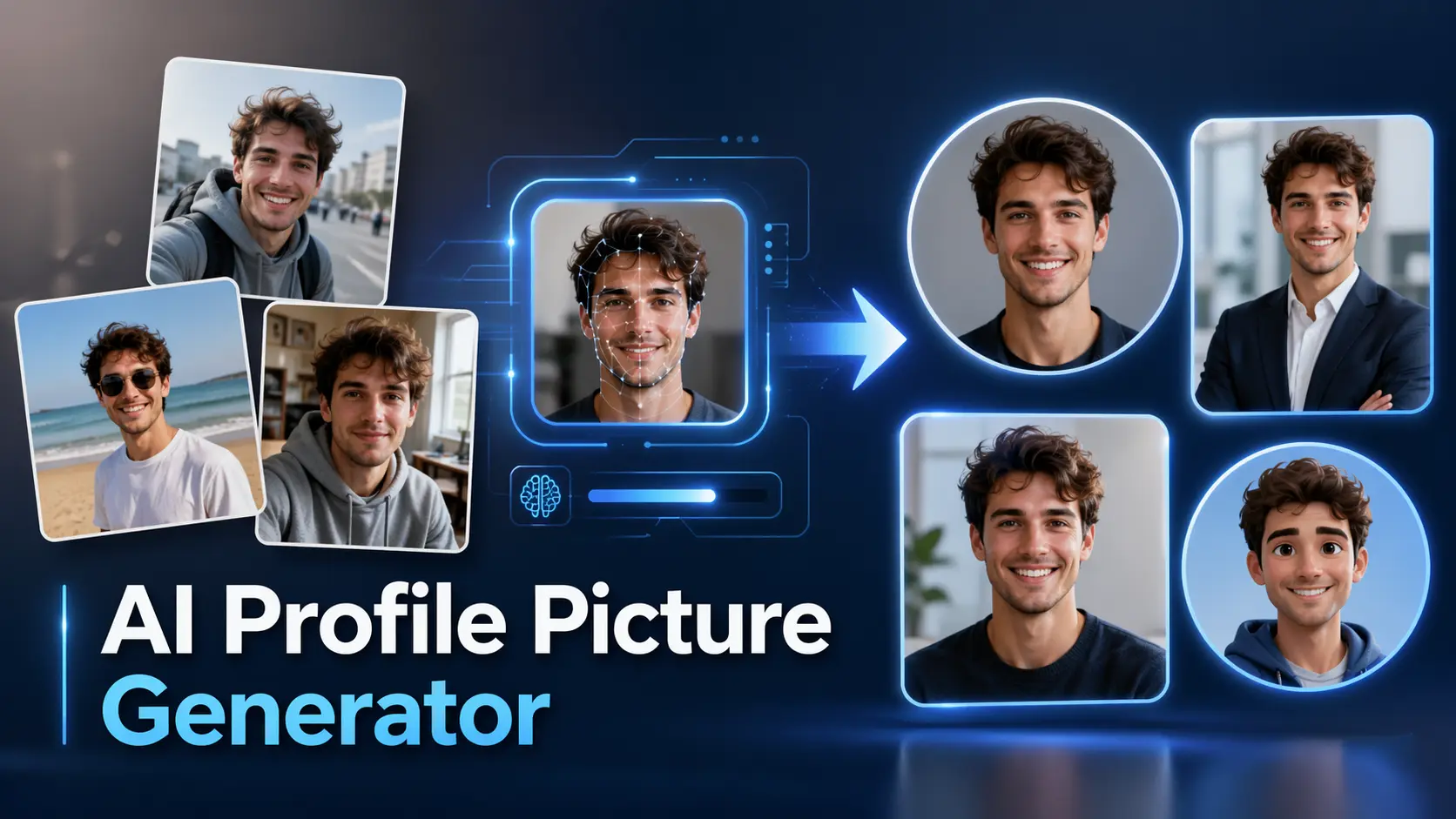
Professional headshots cost $200-$500 and take weeks to schedule. An AI profile picture generator delivers polished results from a single selfie in under a minute. But here’s the catch: most AI headshots look like your slightly-more-attractive cousin, not you.
That’s the core frustration across thousands of Reddit threads and YouTube comments. Users upload selfies, wait for the magic, and get back a stranger with better lighting. This guide fixes that — you’ll learn why AI struggles with your real face, exactly how to fix it, and get a complete copy-paste prompt library for every platform and style.
Why AI Profile Picture Generators Are Replacing Traditional Headshots
The shift from professional photography to AI-generated headshots is driven by cost, speed, and creative flexibility.
A professional headshot session runs $200-$500+ after photographer fees, studio rental, and travel — then you wait days for edits. AI generators process headshots in roughly 15 seconds and have served over 18 million users. Free options like Picofme.io and Canva cost nothing, while premium tools top out at $25-$79. But I bet that you won’t want to pay a whole month subscription just for several needs of updating your linkedIn profile. Platforms that offer free trials to take advantage of, or allow small, pay-as-you-go payments based on your needs, might be a better option.
One selfie can produce dozens of styles — corporate, creative, casual — across different backgrounds and aesthetics. Tools like Gamma and Template.net offer auto-resizing for LinkedIn, Instagram, and Facebook. Just need a background swap? GStory’sPhoto Background Remover lets you replace backgrounds on any headshot instantly.
How Different AI Tools Create Your Profile Picture — And Their Visual Tradeoffs
Not all these tools generate the same kind of pictures — change your random life photo into an ID photo with suits. Their areas vary each other.
Some are designed to make your photo look more polished and professional, softening messy details, improving posture, and turning an everyday snapshot into something closer to a formal headshot. Others go further by changing your outfit into business wear, such as a blazer, shirt, or suit, so the result feels suitable for LinkedIn, resumes, or company websites. Some tools focus less on professionalism and more on style, using your face as a base for modern art portraits, cinematic lighting, fashion-editorial looks, or social-media-friendly beauty shots. There are also generators that lean into fantasy and identity play, creating avatars inspired by anime, gaming, retro film, luxury photography, or creator branding.
It sounds interesting. But community feedback across Reddit and YouTube consistently flags these issues:
- Dead eyes / lifeless expression: The #1 visual complaint. AI headshots often produce a “mugshot stare” that strips natural warmth
- Aging distortion: AI consistently makes people look 5-10 years older than their actual age.
- Over-smoothing: Skin appears plasticky, removing all natural texture
- Background inconsistencies: Warped architecture, impossible reflections
- Uncanny valley teeth: Generated teeth that look unnatural
These artifacts vary by tool. ChatGPT tends toward over-stylization, Gemini toward aging distortion, and dedicated headshot tools toward over-smoothing.shot tools toward over-smoothing.
How to Make AI Keep Your Actual Face
This is the section that matters most. The #1 pain point across every community source is the same: AI headshots don’t look like you. Here’s why it happens and exactly how to fix it.
Why AI Headshots Don’t Look Like You
Most AI image models are trained to generate attractive, generic faces — not to preserve your individual features. When you upload a selfie as a reference, the model “averages” your features toward its training data. The result? An idealized version that loses your distinctive characteristics — your specific nose shape, jawline, asymmetry, and skin texture.
This effect gets worse with:
- Low-quality input photos (blurry, poor lighting, heavy filters)
- Single-angle uploads (the model has to guess your 3D face structure)
- General-purpose models (ChatGPT, Gemini) vs. specialized headshot tools
- Certain demographics: AI bias produces the poorest accuracy for Black women and darker skin tones, and may lighten skin or alter features
It dose occur that the result looks like “a long lost cousin” rather than you.
The Multi-Angle Upload and Reference Photo Method
Here’s the proven approach for maximizing likeness:
Upload 3-5 photos from different angles:
- One front-facing with even lighting
- One 3/4 profile left
- One 3/4 profile right
- One with different lighting (natural vs. indoor)
- One showing your full smile (teeth visible)
Photo quality rules:
- Well-lit, high-resolution, no heavy filters
- Face clearly visible without sunglasses or hats
- Neutral to natural expressions
For single-photo tools (like ProfilePicture.ai): Choose a front-facing photo with even lighting and a neutral expression.
For model-training tools (like ChadGPT or Higgsfield): Upload the full set of 5 photos as training data. These tools train a small model on your face specifically, which produces dramatically better likeness.
Anti-uncanny-valley prompt additions — append these to any prompt:
"Make it a perfect clone of the reference photo. Preserve exact facial
features including asymmetry. No idealization. Match the reference face
precisely. No uncanniness, no AI-like blank stare."
Adding these instructions measurably improves results based on YouTube testing.
Testing and Comparing Your AI Headshot Results
Self-assessment of AI headshots is notoriously unreliable. Use this evaluation process:
- Use Photofeeler to score AI headshots on competence, likeness, and influence. Austin Belcak’s YouTube tutorial demonstrates this approach with measurable scoring
- Side-by-side comparison: Place your AI result next to the original photo. Check eye shape, nose bridge width, jawline, skin tone, and hair texture
- Ask 3-5 people who know you whether the AI photo looks like you
- Generate multiple versions: Create 5-10 variations and select the most accurate one
Red flags to reject immediately:
- Wrong skin tone or significantly different face shape
- Age altered by more than 2-3 years
- Lifeless or glassy eyes
- Teeth that look unnatural
Once you’ve selected your best result, you can upscale it for crisp display on any platform using an AI photo enhancer like GStory’s Photo Enhancer, which upscales images to 4K resolution.
AI Profile Picture Prompt Library: Copy-Paste Prompts for Every Style and Platform
These ready-to-use prompts produce realistic results while preserving facial likeness. Each is labeled with the tool it works best on.
LinkedIn and Professional Headshot Prompts
Prompt 1 — Classic Corporate (ChatGPT / Gemini):
Create a professional LinkedIn headshot of me based on the uploaded photo.
Studio lighting from a 45-degree angle, soft and diffused. Mottled grey
background. Wearing a navy blazer with a sky blue collared shirt. Slight
lean forward, head tilted 5 degrees, genuine smile with visible teeth.
Preserve my exact facial features — no idealization or smoothing.
Prompt 2 — Modern Professional (ChatGPT / Gemini):
Generate a professional headshot from my reference photo. Soft natural
window light from the left. Blurred modern office background. Smart
casual attire — charcoal blazer, white crew neck. Warm, approachable
expression. Match my face precisely, including skin texture and any
natural asymmetry.
Prompt 3 — Executive Portrait (Universal):
Create an executive-style portrait based on the uploaded photo. Rembrandt
lighting setup with soft fill. Dark gradient background. Dark suit with
subtle pinstripe, white dress shirt. Confident but approachable expression.
No over-smoothing — preserve natural skin texture and exact facial
structure from reference.
[Image: Side-by-side comparison of the same person’s LinkedIn headshot across three different prompt styles]
Social Media and Creative Style Prompts (Instagram, TikTok, Discord)
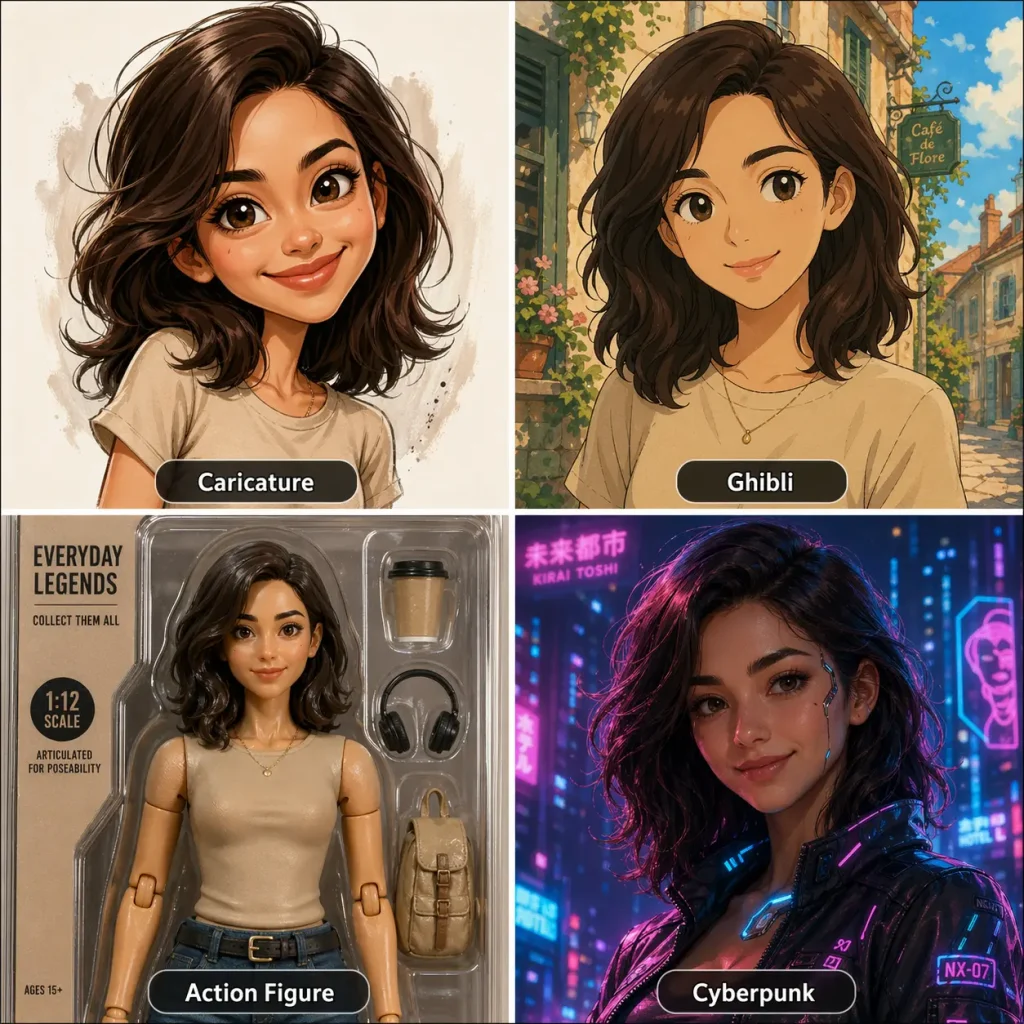
Cyberpunk Neon (ChatGPT / Midjourney):
Transform my uploaded photo into a cyberpunk portrait. Neon blue and
magenta lighting. Futuristic cityscape background with rain reflections.
Keep my exact face and features — only change the style and atmosphere.
Anime / Manga Style (ChatGPT):
Convert my uploaded photo into a high-quality anime portrait in the style
of a modern Japanese animation. Maintain my facial structure, hairstyle,
and expression. Vibrant colors, clean line art, detailed eyes.
Cinematic Golden Hour (Gemini):
Create a cinematic golden hour portrait of me using the uploaded reference
photo. Warm sunset backlight creating a natural rim light effect. Shallow
depth of field with bokeh. Film grain texture. Preserve my exact facial
features and expression.
Neon Name Profile Picture (Gemini — trending in South Asian markets):
Create a circular profile picture with a monochromatic purple and neon
aesthetic. CRT scanline texture overlay. My name "[YOUR NAME]" in glowing
neon text at the bottom. Dark background with subtle light streaks. Use
my uploaded photo as the face reference.
Discord Avatar — High Contrast (Universal):
Create a stylized profile picture optimized for small display sizes. High
contrast, bold colors, clean edges. Based on my uploaded photo but with a
[pixel art / comic book / minimalist] style. Must be recognizable at
128x128 pixels.
Dating App Profile Picture Prompts (Tinder, Hinge, Bumble)
The highest-engagement topic in AI profile pictures — and the most ethically complex. ChadGPT’s YouTube channel shows users reporting tripled match rates with AI photos.
Adventurous / Outdoorsy (ChatGPT / Gemini):
Create a natural-looking candid photo of me based on the uploaded
reference. Standing on a mountain hiking trail during golden hour.
Wearing a fitted henley and hiking backpack. Natural smile, wind in hair.
This should look like a real travel photo, not a studio shot. Preserve
my exact face and body type.
Sophisticated Urban (ChatGPT / Gemini):
Generate a casual lifestyle photo of me based on the uploaded reference.
Sitting at an outdoor cafe, holding a coffee. Well-fitted casual blazer.
Natural afternoon light, candid mid-laugh expression. Must look like a
real photo taken by a friend. Preserve my exact face and body type.
Warm and Approachable (Universal):
Create a warm portrait of me from the uploaded reference. Soft natural
light, friendly genuine smile. Casual earth-tone clothing. Blurred cozy
indoor background (bookshelf, plants). Preserve exact facial features
and natural skin texture.
Important note: Many dating app users view AI-generated photos as deceptive. Consider using AI to enhance real photos (better lighting, background cleanup) rather than fabricating entirely new scenes. Some apps also have photo verification features that may flag AI-generated images.
Caricature, Artistic, and Trending Style Prompts
The Viral ChatGPT Caricature (ChatGPT):
Create a caricature of me and my job based on everything you know about me.
This simple prompt went viral in early 2026 with millions of users creating and sharing their results.
Studio Ghibli Style (ChatGPT):
Transform my uploaded photo into a Studio Ghibli-style illustration.
Soft watercolor textures, warm natural lighting, detailed background with
lush greenery. Maintain my facial features and expression in the Ghibli
art style.
AI Action Figure (ChatGPT):
Create a realistic action figure of me in a toy packaging box. Based on
my uploaded photo. Include accessories related to my profession/hobby:
[LIST YOUR ITEMS]. The packaging should have my name "[YOUR NAME]" as
the product title.
Meta AI Animated Profile Picture (Facebook only):
No prompt needed — this is a built-in Facebook feature. Go to your profile picture settings and select from 10 animation presets: Natural, Roses, Love, Headphones, Fireworks, Party Hat, Confetti, Wave, and Heart.
FAQs About AI Profile Pictures
Can People Tell If My Profile Picture Is AI-Generated?
Often, yes — but it’s getting harder. Common giveaways include overly smooth skin, dead or glassy eyes, too-perfect symmetry, and the “piss filter” color cast (a warm yellow-green tint). Background details like garbled text or warped architecture are also tells.
That said, a LinkedIn poll by Briefcase Coach showed audiences struggled to pick AI headshots from a lineup. Your best test: show the photo to people who know you in person.
Is It Okay to Use an AI Profile Picture on LinkedIn?
LinkedIn does not prohibit AI profile pictures. However, most professionals prefer real photos and view AI headshots as “trying too hard”.
Best practice: use AI to enhance an existing real photo — improve lighting, clean up the background — rather than generate an entirely new face. AI images tend to signal “impression management” rather than authenticity.
What Happens to My Photos When I Upload Them to an AI Generator?
Most tools retain uploaded photos temporarily for processing. The best options for privacy:
- Picofme.io: No face data collected at all
- PFPMaker: Photos deleted every 24 hours
- ProfilePicture.ai: 24-hour deletion policy
Before uploading, read the tool’s privacy policy. Prefer tools with explicit deletion timelines and avoid those that don’t clearly state data retention practices.
Do AI Profile Pictures Show Bias Based on Race, Gender, or Age?
Yes. Black women report the poorest likeness accuracy, darker skin tones may be lightened, and prompts for high-paying job titles tend to generate lighter-skinned results. Age distortion adds 5-10 years regardless of demographic.
To counteract this: use multi-angle uploads with explicit skin tone preservation instructions. Test multiple tools, and reject any result that alters your skin tone, face shape, or demographic presentation.
Free vs. Paid AI Profile Picture Generators — Is It Worth Paying?
For casual social media, free tools like ChatGPT, Canva, and Picofme.io are adequate. For LinkedIn or dating apps where first impressions matter, paid tools ($25-$79) produce measurably better results.
The smart approach: experiment with free tools first, then invest in a paid option for your final version. Even the priciest AI generator is a fraction of a $200-$500+ professional photoshoot.
Conclusion
AI profile picture generators have changed how people present themselves online — but likeness accuracy remains the top challenge, artifacts vary by tool, and privacy practices differ widely.
The key to a great result: choose the right tool for your platform, use proven prompts with multi-angle uploads, and critically evaluate the output before it goes live. Start with the prompt library above and use the face-accuracy techniques in this guide to get headshots that actually look like you.
Leave a Reply